Accordion
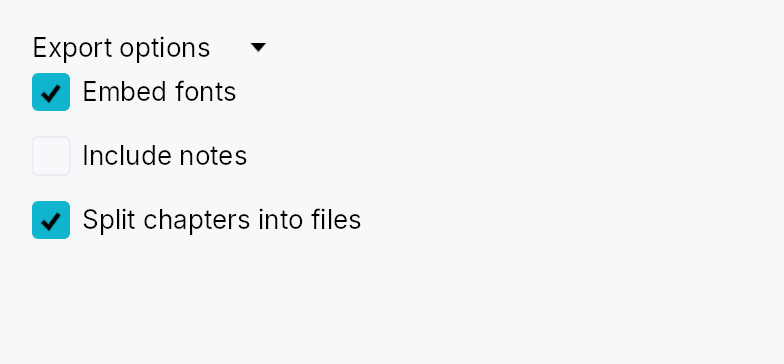
Accordion — a collapsible section with a clickable header that shows or hides its content when activated.
Public types
| Kind | Name |
|---|---|
const | ACCORDION_HEADER_HEIGHT — Height of the accordion header row in pixels (vertical mode) |
fn | accordion_header_height — ACCORDION_HEADER_HEIGHT raised to the density's target_size (24 / 32 / 44 dp) |
const | ACCORDION_HEADER_PADDING_HORIZONTAL — Horizontal padding inside the accordion header on the leading and trailing edges |
fn | accordion_header_padding_horizontal — ACCORDION_HEADER_PADDING_HORIZONTAL scaled by the density's spacing_factor (1.00 / 1.15 / 1.30) |
const | ACCORDION_INDICATOR_SIZE — Size of the chevron disclosure indicator icon in pixels |
const | ACCORDION_INDICATOR_GAP — Gap between the disclosure indicator and the title label |
fn | accordion_indicator_gap — ACCORDION_INDICATOR_GAP scaled by the density's spacing_factor (1.00 / 1.15 / 1.30) |
const | ACCORDION_CORNER_RADIUS — Corner radius of the keyboard-focus ring painted on the accordion header |
enum | AccordionOrientation — Orientation of an Accordion: how its header sits relative to its content |
struct | Accordion — A collapsible section widget whose header button shows or hides attached content |
Public functions
Accordion
Detailed description
In the default vertical mode a horizontally-spanning header row sits above the
content; clicking or pressing Space/Enter toggles visibility with an animated
height disclosure (via Collapse).
A horizontal mode flips the header into a narrow vertical strip with a rotated
label — used by top/bottom sides of a DockingLayout. Fill mode (.fill(true))
is designed for fixed-size slots such as Splitter panes: the content fills all
available space and collapse animation is driven externally by the enclosing
pane rather than by an internal height tween.
Accessibility
The header is announced as Role::Button with aria-expanded reflecting the
current state, and aria-controls pointing at the content region
(Role::Region). Space/Enter toggle the disclosure; AT "click" actions are
also handled. The focus ring appears only on keyboard focus (not on pointer
clicks), matching the IntUI convention.
#![allow(unused)]
fn main() {
use teksilo_widgets::accordion::Accordion;
use teksilo_core::signal::Signal;
use teksilo_i18n::lit;
let expanded = Signal::new(false);
let _accordion = Accordion::new(lit!("Advanced settings"), expanded);
}
Touch and pen
The header is one target on the density ladder and toggles from its tap, so on
the release. Where a dock panel installs on_header_drag, the same header is
also a drag source: DragActivation::Auto resolves that to Immediate when
nothing competes for the axis and to the hold when a scroller does, so a contact
needs no declaration to move a panel — and a press that lifts without
travelling still toggles.
The trailing slot is wrapped in a DeadZone, so
its action buttons and ⋮ menu take a press — jitter and all — without arming
the panel drag behind them.
Density
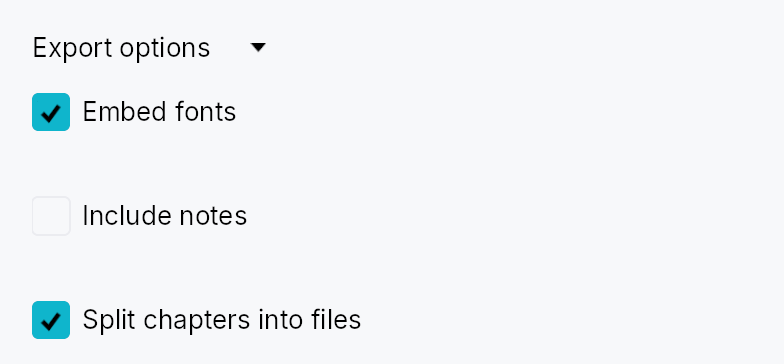
The picture above is the widget at TargetDensity::Compact, the mouse-and-keyboard ladder. Below is the same subject on the same canvas with only the ladder changed, so what moves is the density and nothing else — where the subject no longer fits, that is what the denser targets cost it at that size. See docs/density-and-targets.md.
Touch
API reference
📖 Full rustdoc API for this module
pub const ACCORDION_HEADER_HEIGHT
Import: use teksilo::widgets::accordion::ACCORDION_HEADER_HEIGHT;
Height of the accordion header row in pixels (vertical mode).
#![allow(unused)]
fn main() {
pub const ACCORDION_HEADER_HEIGHT: f32 = 28.0;
}
pub fn accordion_header_height(...)
Import: use teksilo::widgets::accordion::accordion_header_height;
ACCORDION_HEADER_HEIGHT raised to the density's target_size
(24 / 32 / 44 dp). The identity at Compact.
#![allow(unused)]
fn main() {
pub fn accordion_header_height(tokens: &InputTokens) -> f32;
}
pub const ACCORDION_HEADER_PADDING_HORIZONTAL
Import: use teksilo::widgets::accordion::ACCORDION_HEADER_PADDING_HORIZONTAL;
Horizontal padding inside the accordion header on the leading and trailing edges.
#![allow(unused)]
fn main() {
pub const ACCORDION_HEADER_PADDING_HORIZONTAL: f32 = 8.0;
}
pub fn accordion_header_padding_horizontal(...)
Import: use teksilo::widgets::accordion::accordion_header_padding_horizontal;
ACCORDION_HEADER_PADDING_HORIZONTAL scaled by the density's spacing_factor
(1.00 / 1.15 / 1.30).
#![allow(unused)]
fn main() {
pub fn accordion_header_padding_horizontal(tokens: &InputTokens) -> f32;
}
pub const ACCORDION_INDICATOR_SIZE
Import: use teksilo::widgets::accordion::ACCORDION_INDICATOR_SIZE;
Size of the chevron disclosure indicator icon in pixels.
#![allow(unused)]
fn main() {
pub const ACCORDION_INDICATOR_SIZE: f32 = 12.0;
}
pub const ACCORDION_INDICATOR_GAP
Import: use teksilo::widgets::accordion::ACCORDION_INDICATOR_GAP;
Gap between the disclosure indicator and the title label.
#![allow(unused)]
fn main() {
pub const ACCORDION_INDICATOR_GAP: f32 = 6.0;
}
pub fn accordion_indicator_gap(...)
Import: use teksilo::widgets::accordion::accordion_indicator_gap;
ACCORDION_INDICATOR_GAP scaled by the density's spacing_factor
(1.00 / 1.15 / 1.30).
#![allow(unused)]
fn main() {
pub fn accordion_indicator_gap(tokens: &InputTokens) -> f32;
}
pub const ACCORDION_CORNER_RADIUS
Import: use teksilo::widgets::accordion::ACCORDION_CORNER_RADIUS;
Corner radius of the keyboard-focus ring painted on the accordion header.
#![allow(unused)]
fn main() {
pub const ACCORDION_CORNER_RADIUS: f32 = 4.0;
}
pub enum AccordionOrientation
Import: use teksilo::widgets::AccordionOrientation;
Orientation of an Accordion: how its header sits relative to its
content. Vertical (the default) is a
horizontal header row above the content; Horizontal
is a narrow vertical header strip (rotated-90° label, left/right
chevron) beside the content — used by top/bottom dock sides.
#![allow(unused)]
fn main() {
pub enum AccordionOrientation { /* variants */ }
}
Variants
Vertical— Header row above the content (default).Horizontal— Vertical header strip beside the content.
pub struct Accordion
Import: use teksilo::widgets::Accordion;
A collapsible section widget whose header button shows or hides attached content.
Supply the title and a Signal<bool> for the expanded state, then attach
content via .content(w) or
.content(id). The signal can be toggled externally
(e.g. from a "collapse all" button) and the disclosure animation will follow.
#![allow(unused)]
fn main() {
pub struct Accordion { /* fields */ }
}
Methods
pub fn new(title: impl Into<LocalizedString>, expanded: Signal<bool>) -> Self
Create a new accordion with the given title and an external expanded signal.
The accordion starts collapsed or expanded according to the initial value of
expanded. Toggling the signal later drives the disclosure animation.
pub fn orientation(mut self, orientation: AccordionOrientation) -> Self
Set the header orientation (default AccordionOrientation::Vertical).
pub fn horizontal(mut self) -> Self
Shorthand for Accordion::orientation``(``AccordionOrientation::Horizontal``).
pub fn fill(mut self, fill: bool) -> Self
Make the expanded content fill the accordion's allotted space (the
leftover after the header) — instead of the default natural-height
disclosure — while keeping the collapse/expand animated. Use when the
accordion lives in a fixed-size slot such as a Splitter pane (a dock
panel): the content lays out at exactly the available size (no narrow
content, no overflow) and the header tween still plays. Default false.
pub fn on_header_drag(mut self, f: impl Fn(&mut EventContext) + 'static) -> Self
Make the header a drag source: a drag gesture starting on it fires
f (which should begin a drag, e.g. ctx.start_drag(source, payload)).
Tap-to-toggle is unaffected — the gesture arena tells a tap from a drag.
pub fn trailing(mut self, widget: impl teksilo_core::IntoTeksiChild) -> Self
Place a widget at the trailing end of the header, before the disclosure
chevron — an options (⋮) button, an inline action toolbar, etc. The
slot's own controls capture their gestures (innermost hit wins), so
clicking them does not toggle the accordion. Mirrors
ToolBoxItem::trailing /
TabWidget::bar_trailing_slot.
pub fn title_color(mut self, color: impl Into<ColorProp>) -> Self
Override the header foreground color used for the title text and
chevron icon. Defaults to TextRole::Primary. Accepts a literal
Color, a TextRole/SurfaceRole, or a Signal<Color>.
pub fn title_style(mut self, style: impl Into<TextStyleProp>) -> Self (default: None)
Override the header title's text style. Use this to make the
disclosure label smaller (e.g. inside a tooltip) or to match a
non-body typography role. Accepts a static
TextStyle or a
TextStyleRole.
pub fn content(mut self, widget: impl teksilo_core::IntoTeksiChild) -> Self
Set an inline content widget (deferred insertion).