Blur
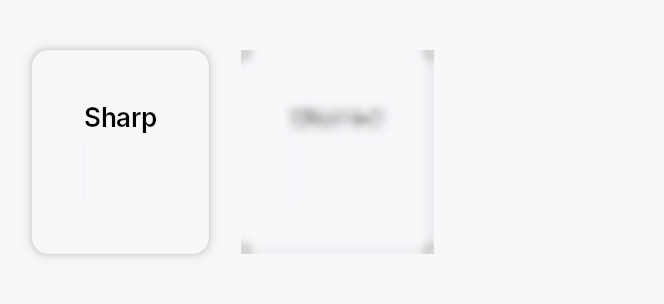
Blur — a wrapper widget that applies a Gaussian-equivalent blur
to its child subtree, driven by a Prop<f32> radius (in logical
pixels).
Public functions
Blur
| Returns | Function |
|---|---|
| Constructors | |
Self | new(radius: impl Into<Prop<f32>>) |
| Builder methods | |
Self | child(widget: impl teksilo_core::IntoTeksiChild) |
Self | child_opt(widget: Option<impl teksilo_core::IntoTeksiChild>) |
Detailed description
Built on BuildContext::set_blur, a per-node paint scope parallel
to set_opacity and set_transform. The framework's render walker
emits BeginBlurredSubtree { bounds, radius } before this widget's
paint and EndBlurredSubtree afterwards; the renderer redirects
drawing into an intermediate texture, runs a dual-Kawase blur chain
at the requested radius, and composites the blurred result back into
the parent pass.
Sub-perceptual radii (< 0.5 px) skip the Begin/End pair entirely so
animated 0 → target_radius enable patterns have zero per-frame
cost when fully off.
// Static frosted-glass backdrop:
ctx.add(Blur::new(15.0).child(modal_backdrop));

// Click-to-reveal sensitive content:
let visible = ctx.signal(false);
let radius = visible.map(|&v| if v { 0.0 } else { 12.0 });
ctx.add(Blur::new(radius).child(secret_text));

// Animated frosted-glass on modal show:
let radius = ctx.animated_signal(0.0_f32);
ctx.animate().normal().standard().to_or_snap(&radius, 15.0);
ctx.add(Blur::new(radius).child(content));
Layout semantics
Blur does not change layout. The wrapped child reports its full
natural size at all blur radii; only the visual paint output is
affected.
Performance
Blur is the most expensive paint scope in the framework — every
enabled blur scope drives N+M+1 small render passes per frame
(N downsamples, M upsamples, +1 composite). Don't put it on
widgets that animate every frame at full radius. For "fade-blur on
reveal" patterns, animate the radius up to a static value and leave
it there. See docs/animation.md §5.8.
Density
The picture above is the widget at TargetDensity::Compact, the mouse-and-keyboard ladder. Below is the same subject on the same canvas with only the ladder changed, so what moves is the density and nothing else — where the subject no longer fits, that is what the denser targets cost it at that size. See docs/density-and-targets.md.
Touch
API reference
📖 Full rustdoc API for this module
pub struct Blur
Import: use teksilo::widgets::Blur;
Wraps a child and applies a Gaussian-equivalent blur to the entire
subtree, driven by an external Prop<f32> radius (logical pixels).
#![allow(unused)]
fn main() {
pub struct Blur { /* fields */ }
}
Methods
pub fn new(radius: impl Into<Prop<f32>>) -> Self
Build a blur wrapper bound to radius (in logical pixels).
Accepts any Prop<f32> source — f32, Signal<f32>, or
Prop<f32>. Sub-perceptual radii (< 0.5) are a no-op.
pub fn child(mut self, widget: impl teksilo_core::IntoTeksiChild) -> Self
Inline child widget (deferred insertion).
pub fn child_opt(self, widget: Option<impl teksilo_core::IntoTeksiChild>) -> Self
Attach widget when it is Some, and do nothing when it is None.
The conditional-child form. teksu!'s if without an else lowers to
this, and it is what cond.then(|| w) is for in a builder chain. None
adds no arena node, so nothing is laid out, painted, or published to the
accessibility tree, and a stack applies no spacing around it.