Center
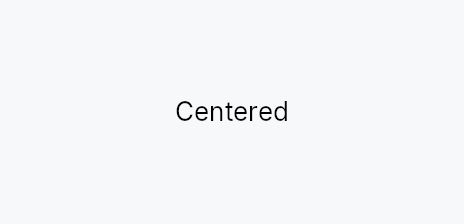
Center — a single-child wrapper that centers its child within the available space.
Public functions
Center
| Returns | Function |
|---|---|
| Constructors | |
Self | new() |
| Builder methods | |
Self | child(widget: impl teksilo_core::IntoTeksiChild) |
Self | child_opt(widget: Option<impl teksilo_core::IntoTeksiChild>) |
Detailed description
On a bounded axis (the parent proposes an exact size), Center fills
that dimension and places the child in the middle. On an unbounded axis
(the parent leaves it open, as a stack does on its main axis), Center
shrink-wraps to the child's natural size rather than collapsing to zero —
this prevents the child from overflowing a prior sibling. Center always
reports flex = 0, so it never claims slack from a stack's distribution
pass; to center content within leftover space, wrap it in an Expand:
Expand::horizontal().child(Center::new().child(w)).
The child is measured under the constraint Center received (a
loose-but-bounded proposal, like Flutter's Center): rigid children keep
their natural size and are centered, while adaptive children respond to
the bound — an ellipsis TextWidget truncates at the slot width instead
of overflowing symmetrically, and wrapping text reports its real wrapped
height.
When to use
- Center a small widget inside a bounded slot (e.g., an icon in a fixed square cell).
- Shrink-wrap and center an element inside a layout that provides an exact proposal in both axes.
For claiming all remaining stack space and then centering within it, use
Expand wrapping Center instead.
#![allow(unused)]
fn main() {
use teksilo_widgets::primitives::{Center, RectWidget};
// Center a rect in the full slot provided by its parent
let _centered = Center::new().child(RectWidget::new());
}
Density
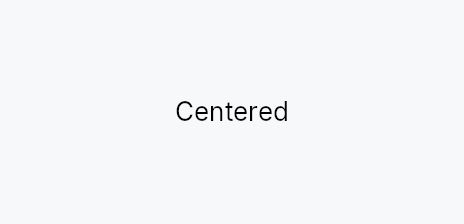
The picture above is the widget at TargetDensity::Compact, the mouse-and-keyboard ladder. Below is the same subject on the same canvas with only the ladder changed, so what moves is the density and nothing else — where the subject no longer fits, that is what the denser targets cost it at that size. See docs/density-and-targets.md.
Touch
API reference
📖 Full rustdoc API for this module
pub struct Center
Import: use teksilo::widgets::Center;
Centers a single child within the space this widget is given.
Sizing follows the incoming constraint, per axis: Center fills a
bounded axis (the tree root, or inside an Expand / wrapper that
proposes exact bounds) and shrink-wraps to the child on an unbounded
axis. So a bare Center does not claim slack inside an HStack /
VStack — those leave their main axis open, and Center sizes to its
child there (like Flutter's Center / Align, or Compose's Box),
rather than collapsing to zero and letting the child overflow.
Centering and expanding are separate concerns: Center reports
flex = 0 and is a pure alignment wrapper, never a space-claiming one. To
center a child within the leftover space of a stack, give it flex with
Expand — Expand::horizontal { Center { child } } (the analogue of
Flutter's Expanded(child: Center(...))).
#![allow(unused)]
fn main() {
pub struct Center { /* fields */ }
}
Methods
pub fn new() -> Self
Create a new Center with no child attached.
pub fn child(mut self, widget: impl teksilo_core::IntoTeksiChild) -> Self
Set an inline child widget (deferred insertion).
pub fn child_opt(self, widget: Option<impl teksilo_core::IntoTeksiChild>) -> Self
Attach widget when it is Some, and do nothing when it is None.
The conditional-child form. teksu!'s if without an else lowers to
this, and it is what cond.then(|| w) is for in a builder chain. None
adds no arena node, so nothing is laid out, painted, or published to the
accessibility tree, and a stack applies no spacing around it.