IconWidget
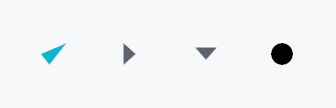
IconWidget — a vector or raster icon rendered at a configurable size.
Public types
| Kind | Name |
|---|---|
enum | IconMode — Whether an icon is rendered as a theme-tinted mask or in its original colors |
struct | IconWidget — A leaf widget that renders an icon from a path, SVG string, PNG, or WebP source |
Public functions
IconWidget
| Returns | Function |
|---|---|
| Constructors | |
Self | from_path(path: Path, size: f32) |
Self | checkmark(size: f32) |
Self | dash(size: f32) |
Self | radio_dot(size: f32) |
Self | chevron_down(size: f32) |
Self | chevron_right(size: f32) |
Self | chevron_left(size: f32) |
Self | chevron_up(size: f32) |
Self | from_svg(svg_str: &str) |
Self | from_svg_icon(icon: &SvgIcon) |
Self | from_png(data: &'static [u8], size: f32) |
Self | from_webp(data: &'static [u8], size: f32) |
Self | from_raster(icon: &RasterIcon, size: f32) |
Self | from_animated(icon: &AnimatedIcon, size: f32) |
| Builder methods | |
Self | mode(mode: IconMode) |
Self | color(color: impl Into<ColorProp>) |
Self | icon_size(size: f32) |
Self | follow_text_scale(follow: bool) |
Detailed description
Supports multiple source formats: programmatic Path (checkmarks,
chevrons, dots), SVG strings, PNG, static WebP, and animated WebP. Icons
default to tintable mode — the pixels are treated as an alpha mask
and multiplied by the widget's color property (defaults to
TextRole::Primary) so they follow theme switches automatically.
IconMode::FullColor preserves original pixel colors and is appropriate
for emoji-style graphics or brand logos.
For arbitrary-aspect-ratio photos or artwork see
ImageWidget.
Accessibility
Icons are decorative by default — they set no accessibility role and
announce nothing. The parent widget (e.g. Button, IconButton) is
responsible for the accessible label.
#![allow(unused)]
fn main() {
use teksilo_widgets::primitives::icon_widget::{IconWidget, IconMode};
use teksilo_tokens::TextRole;
let _check = IconWidget::checkmark(20.0);

let _chevron = IconWidget::chevron_down(16.0)
    .color(TextRole::Primary)
    .follow_text_scale(false);
}
Density
The picture above is the widget at TargetDensity::Compact, the mouse-and-keyboard ladder. Below is the same subject on the same canvas with only the ladder changed, so what moves is the density and nothing else — where the subject no longer fits, that is what the denser targets cost it at that size. See docs/density-and-targets.md.
Touch
API reference
📖 Full rustdoc API for this module
pub enum IconMode
Import: use teksilo::widgets::primitives::icon_widget::IconMode;
Whether an icon is rendered as a theme-tinted mask or in its original colors.
Applies to every source an IconWidget can hold — raster and SVG. For an
SVG the two modes select between the two representations the parser builds
(see teksilo_canvas::svg): Tintable draws the merged
silhouette in the widget's color, FullColor walks the
document-ordered ops and honours each shape's own fill / stroke / gradient.
The default is Tintable, which is what a UI glyph wants —
it follows the theme into dark mode. Reach for
FullColor for artwork whose colors are the content: a
brand mark, a flag, a colored file-type badge. A currentColor shape inside
full-color artwork still takes the widget's color, so the two are mixable.
#![allow(unused)]
fn main() {
pub enum IconMode { /* variants */ }
}
Variants
Tintable— Treat as an alpha mask: tint the whole icon with the widget's color.FullColor— Render the icon's own colors; the widget color suppliescurrentColorand its alpha attenuates the result.
pub struct IconWidget
Import: use teksilo::widgets::IconWidget;
A leaf widget that renders an icon from a path, SVG string, PNG, or WebP source.
#![allow(unused)]
fn main() {
pub struct IconWidget { /* fields */ }
}
Methods
pub fn from_path(path: Path, size: f32) -> Self
Create an icon from a custom path. The path should be defined in coordinates matching the given size (e.g., 0..24 for size=24).
pub fn checkmark(size: f32) -> Self
A checkmark icon (✓) at the given size.
pub fn dash(size: f32) -> Self
A short horizontal dash at the given size — used as the indeterminate-state glyph for tristate menu items (mirrors the Windows "mixed-state" convention).
pub fn radio_dot(size: f32) -> Self
A small filled disc centered in the given size — used as the selected-state glyph for radio menu items.
pub fn chevron_down(size: f32) -> Self
A downward-pointing chevron (▼) at the given size.
pub fn chevron_right(size: f32) -> Self
A right-pointing chevron (▶) at the given size.
pub fn chevron_left(size: f32) -> Self
A left-pointing chevron (◀) at the given size.
pub fn chevron_up(size: f32) -> Self
An upward-pointing chevron (▲) at the given size.
pub fn from_svg(svg_str: &str) -> Self
Create an icon from an SVG string. Parses the SVG and extracts
geometry, ignoring any colors in the SVG. Display size defaults
to the SVG's viewBox dimensions; use icon_size
to override.
If parsing fails, logs the error in debug mode and produces an empty icon.
pub fn from_svg_icon(icon: &SvgIcon) -> Self
Create an icon from a pre-parsed SvgIcon. Display size
defaults to the SVG's viewBox; use icon_size
to override. Scaling is deferred to paint time.
pub fn from_png(data: &'static [u8], size: f32) -> Self
Create an icon from PNG data.
If decoding fails, logs the error in debug mode and produces an empty icon.
pub fn from_webp(data: &'static [u8], size: f32) -> Self
Create an icon from WebP data. Auto-detects static vs animated.
If decoding fails, logs the error in debug mode and produces an empty icon.
pub fn from_raster(icon: &RasterIcon, size: f32) -> Self
Create an icon from a pre-decoded RasterIcon.
Accepts a reference — full-color mode shares the icon's pixels, and
tintable mode keeps an alpha mask computed from them.
The texture is named after the icon's identity, so every widget showing this icon (or a clone of it) in one mode shares one texture. Like every static image texture it lives as long as the window: an icon decoded afresh for each widget gets a texture of its own each time.
pub fn from_animated(icon: &AnimatedIcon, size: f32) -> Self
Create an icon from a pre-decoded AnimatedIcon.
Accepts a reference — frame data is copied internally.
Named after its first frame's identity, with the same sharing and
lifetime as from_raster.
pub fn mode(mut self, mode: IconMode) -> Self
Set the icon rendering mode (tintable or full-color). Re-computes cached pixel data for raster/animated icons.
pub fn color(mut self, color: impl Into<ColorProp>) -> Self
Set the tint. Accepts any impl Into<ColorProp>:
- A raw
Color— a frozen literal. - A
TextRole/SurfaceRole/BorderRole— resolved against the theme at paint time (reactive across theme switches). - A
Signal<Color>— reactive state (usually interaction-driven).
pub fn icon_size(mut self, size: f32) -> Self
Set the display size of the icon. The path/image is scaled to fit this size during rendering. This does not affect the design-time coordinate space — SVG paths scale correctly.
pub fn follow_text_scale(mut self, follow: bool) -> Self
Make this icon grow with the global accessibility text scale
(ctx.text_scale). Off by default. Enable for icons that sit inline
with text and should scale together — e.g. status glyphs in a
SeverityBadge. The reported (and rendered) size becomes
display_size × text_scale.