NotificationLog
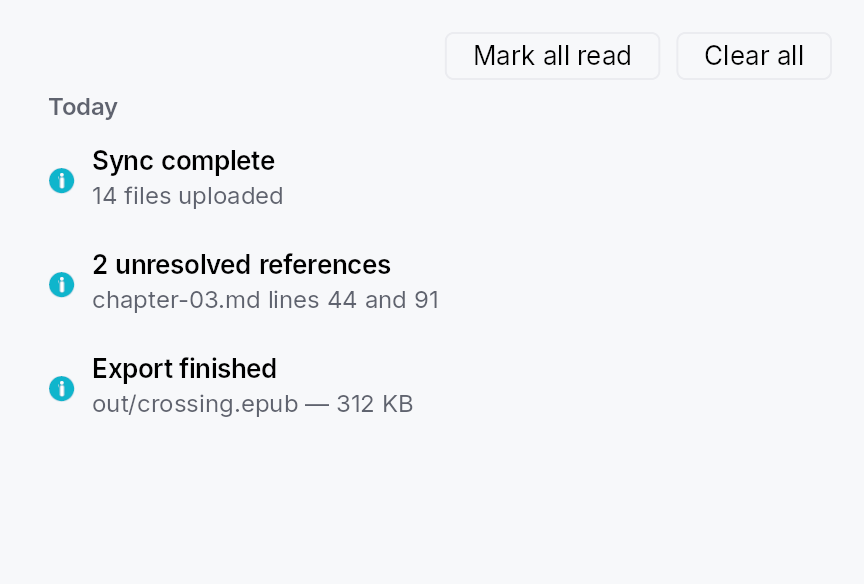
NotificationLog — a scrollable, day-bucketed list of archived notifications.
Public functions
NotificationLog
Detailed description
Renders a NotificationArchiveModel as a scrollable column of
StandardListItem rows grouped under section headers (Today /
Yesterday / This week / Earlier), computed against the user's local
timezone on every archive mutation. An optional toolbar row provides
mark-all-read and clear buttons. Unread rows show the title in
BodyBold; read rows use Body. An empty-state hint is shown when the
archive is empty.
Sizing
The log grows into a host that bounds its height and compresses
inside one shorter than its natural height (floored at one row);
only a host that hugs its content — which is how the overlay layer
measures the NotificationCenterButton
popover — falls back to preferred_width /
preferred_height. Row text is
elided, not wrapped, with the full text on the row's rich
tooltip: notification prose is arbitrary and the log does not
control its own width, so a wrapping row would over-constrain
itself and push its trailing action buttons out of view.
When to use
- Embed directly inside a side panel or settings page for an in-app notification centre.
- Wrap in
NotificationCenterButtonfor the standard bell-icon-with-popover pattern. - Call
NotificationLogDialog::showfor a one-line modal presentation.
let archive: Rc<NotificationArchiveModel> = ctx.app_state().unwrap();
let log = NotificationLog::new(archive)
    .on_action_invoked(|_entry, action, ctx| {
        if let Some(name) = &action.intent_name {
            ctx.send_intent(teksilo_core::Intent::new(name));
        }
    });
Touch and pen
A log row is a StandardListItem, so its target floor follows the density
ladder with every other list row, and its tap replays the entry on the release.
The trailing action strip is made of Links and Buttons, each its own target.
Density
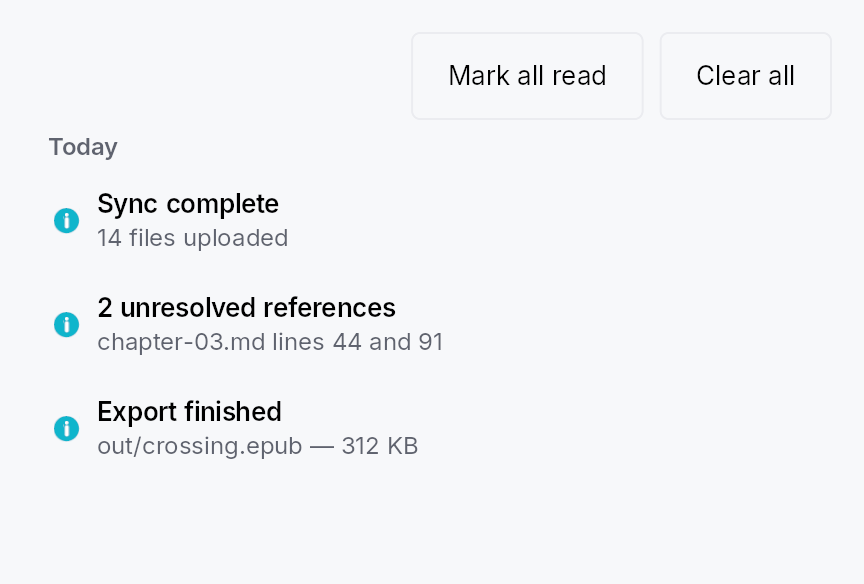
The picture above is the widget at TargetDensity::Compact, the mouse-and-keyboard ladder. Below is the same subject on the same canvas with only the ladder changed, so what moves is the density and nothing else — where the subject no longer fits, that is what the denser targets cost it at that size. See docs/density-and-targets.md.
Touch
API reference
📖 Full rustdoc API for this module
pub struct NotificationLog
Import: use teksilo::prelude::NotificationLog; — in teksilo::prelude::*.
Configurable archive log. Shipped chrome:
- mark-all-read + clear buttons in a toolbar row;
- empty-state hint when the archive is empty;
- day-bucket section headers (Today / Yesterday / This week / Earlier) above the rows for each bucket — computed against the user's local timezone, recomputed on every archive mutation;
StandardListItemrows with unread-as-bold differentiation.
A SearchField filter and a severity-chip filter can be composed by apps using the existing widget toolkit.
#![allow(unused)]
fn main() {
pub struct NotificationLog { /* fields */ }
}
Methods
pub fn new(archive: Rc<NotificationArchiveModel>) -> Self
Construct a log bound to the shared archive. The archive is
expected to outlive the log (typically held in app_state).
pub fn for_window(mut self, window_id: TeksiloWindowId) -> Self
Scope this log to entries routed to window window_id (plus
any Broadcast entry) — the shape a NotificationCenterButton
mounted in that window wants for its popover body. Overrides
any previous for_window / for_audience call.
pub fn for_audience(mut self, audience: ToastAudience) -> Self
Scope this log to entries routed to audience (plus any
Broadcast entry). Overrides any previous for_window /
for_audience call.
pub fn show_toolbar(mut self, show: bool) -> Self
Whether to render the toolbar row (mark-all-read + clear).
Default true. Apps that want a chrome-less log (e.g. inside
a custom panel that supplies its own toolbar) pass false.
pub fn empty_state(mut self, f: impl Fn() -> Box<dyn Widget> + 'static) -> Self
Override the empty-state hint. Default: a centered "No notifications" text. Pass a factory returning any widget for a custom empty view (illustration, call-to-action, …).
A factory rather than a widget because the log rebuilds on every archive mutation: the view has to be re-creatable each time the archive goes empty again, not just the first time.
log.empty_state(|| Box::new(TextWidget::new(tr!(inbox_zero()))))
pub fn preferred_width(mut self, width: f32) -> Self
Width the log reports when the host proposes an unbounded one.
Default 380 dp.
This is load-bearing for the popover presentation
(NotificationCenterButton):
the overlay layer measures its content with a fully unbounded
proposal, and a StandardListItem asked for an intrinsic
width reports only its chrome, so without a preferred width the
popover would size itself to whatever the two toolbar buttons
happen to measure (~248 dp with the stock labels) and elide
every title to a stub. Hosts that DO bound the width (a dialog,
a side panel) ignore this value.
pub fn preferred_height(mut self, height: f32) -> Self
Height of the scrolling list area when the host proposes an
unbounded height. Default 320 dp.
The log always grows into a host that bounds its height (it reports a flex weight), so this only sets the natural height a content-hugging host — again, the popover — sizes itself to.
pub fn on_entry_invoked( mut self, f: impl Fn(&NotificationEntry, &mut EventContext) + 'static, ) -> Self
Called when the user clicks anywhere on an archived entry's row body (outside any specific action button). The default behaviour is no-op — the log is read-only display unless callers wire this hook.
pub fn on_action_invoked( mut self, f: impl Fn(&NotificationEntry, &ArchivedAction, &mut EventContext) + 'static, ) -> Self
Called when an archived action button is clicked. Apps wire
this hook to replay the action — typically by mapping the
ArchivedAction::intent_name to one of the app's registered
Actions via ctx.send_intent(...). Without this hook
configured the action buttons are inert (the log keeps them
visible for archival context).
Actions without an intent_name render as non-clickable
past-action tags regardless of this hook — there's nothing
for the framework to dispatch against once the live closure
has torn down.
log.on_action_invoked(|_entry, action, ctx| {
    // Bridge the dynamic intent_name to one of the app's
    // typed AppIntent variants:
    match action.intent_name.as_deref() {
        Some("app.build.retry") => ctx.send_intent(AppIntent::BuildRetry),
        Some(name) => log::warn!("unknown archived intent: {name}"),
        None => {}
    }
})