MenuList
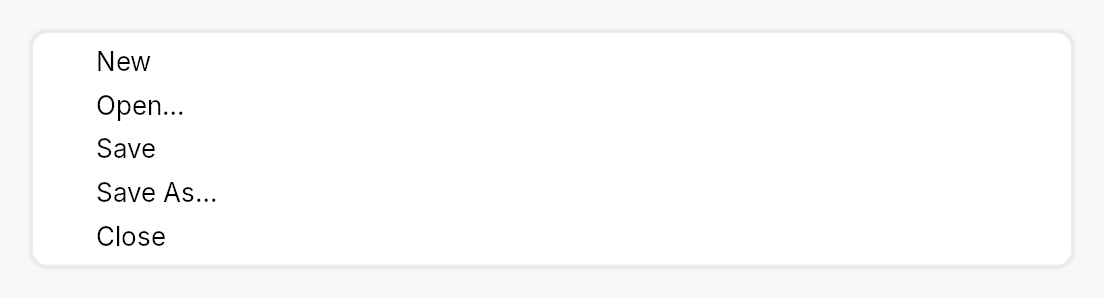
MenuList — a themed vertical menu container with keyboard navigation.
Public types
| Kind | Name |
|---|---|
struct | MenuSeparator — A 1 dp horizontal divider line between groups of menu items |
struct | MenuList — A themed vertical dropdown menu panel with keyboard navigation and type-ahead |
Public functions
MenuList
Detailed description
MenuList is the dropdown panel used by MenuBar, MenuContext, and
popover-style menus. It provides a themed surface (background, rounded
border, drop shadow) and owns the full keyboard navigation stack:
ArrowUp/Down moves focus, Enter activates, Escape bubbles to the
enclosing overlay host, Home and End jump to the first/last visible item.
Type-ahead search jumps to the next item whose stripped label starts with
the accumulated keystrokes (500 ms reset window by default).
Items are added with .item(widget) (any impl Widget, but typically a
MenuItem); separators with .separator(). Conditional rows use
.item_when(widget, visible_prop) — a hidden row collapses to zero height
and is skipped by keyboard navigation. For very long lists (recent files,
etc.) call .max_visible_items(n) to cap the panel height and wrap the
content in a ScrollArea.
Two knobs shape the surface. .inset(dp) sets the gap between the menu
surface and its rows (default 4 dp; the max_visible_items scroll cap
follows it). .surface_style(style) gives this one list its own
PopoverStyle — frame, fill, shadow — ahead of the theme's popover slot,
which a ComboBox dropdown shares; other lists are unaffected.
Safe-triangle hover gate. When the pointer leaves a submenu trigger's
row with the submenu still up, the trigger arms the safe region (the apex
and the cone live in teksilo_core::overlay) and publishes that submenu's
id on a MenuList-wide shared state, so sibling items can skip their
hover-switch while the cursor travels diagonally toward the submenu.
Accessibility
Role::Menu, named after what opened it (a MenuBar trigger, the
MenuItem::submenu row, a PopoverButton's button), with the keyboard
highlight as its active descendant: the menu keeps keyboard focus, and a
screen reader is told of each move of the highlight as a focus change to
the row. Each row is Role::MenuItem / Role::MenuItemCheckBox /
Role::MenuItemRadio as declared by the item, and carries its position
among the menu's shown rows, whose count the menu carries. Radio items in
the same list also auto-group via push_to_radio_group.
#![allow(unused)]
fn main() {
use teksilo_widgets::{MenuList, MenuItem};
use teksilo_i18n::lit;
use teksilo_core::Intent;
let _w = MenuList::new()
    .item(MenuItem::new(lit!("Cut")).on_activate_fn(|ctx| ctx.send_intent(Intent::new("app.cut"))))
    .item(MenuItem::new(lit!("Copy")).on_activate_fn(|ctx| ctx.send_intent(Intent::new("app.copy"))))
    .separator()
    .item(MenuItem::new(lit!("Paste")).on_activate_fn(|ctx| ctx.send_intent(Intent::new("app.paste"))));
}
Density
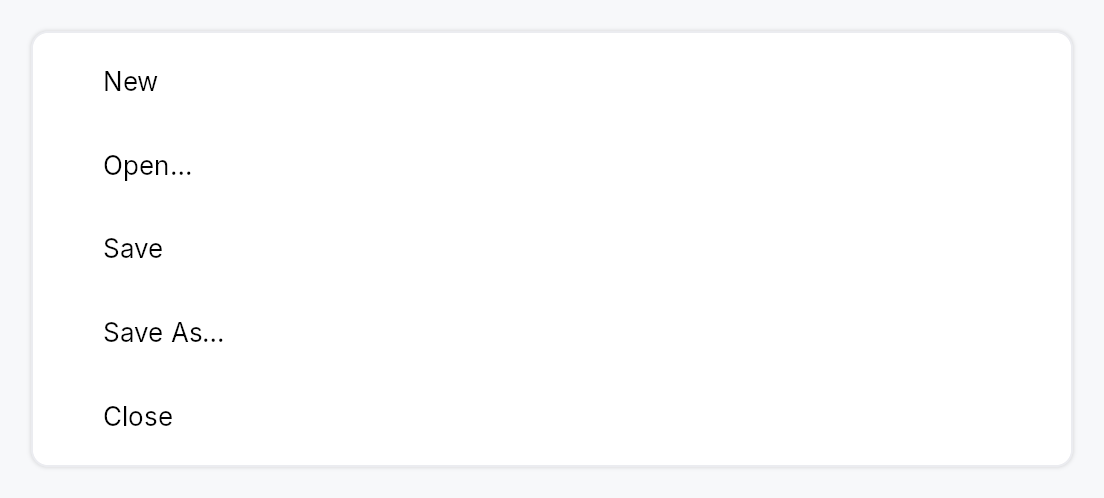
The picture above is the widget at TargetDensity::Compact, the mouse-and-keyboard ladder. Below is the same subject on the same canvas with only the ladder changed, so what moves is the density and nothing else — where the subject no longer fits, that is what the denser targets cost it at that size. See docs/density-and-targets.md.
Touch
API reference
📖 Full rustdoc API for this module
pub struct MenuSeparator
Import: use teksilo::widgets::MenuSeparator;
A 1 dp horizontal divider line between groups of menu items.
#![allow(unused)]
fn main() {
pub struct MenuSeparator;
}
pub struct MenuList
Import: use teksilo::widgets::MenuList;
A themed vertical dropdown menu panel with keyboard navigation and type-ahead.
See the module documentation for the full feature description.
#![allow(unused)]
fn main() {
pub struct MenuList { /* fields */ }
}
Methods
pub fn new() -> Self
Create an empty menu list with no items, no height cap, and the default 500 ms type-ahead reset window.
pub fn inset(mut self, inset: f32) -> Self
Set the gap, in dp, between the menu surface and its rows, on every
side. Defaults to 4 dp. A smaller value lets the rows (and their
hover / highlight bands) reach nearer the surface's frame, which
suits a thin or accent-coloured border. Negative values are treated
as zero. The scroll cap of max_visible_items
follows the same value.
pub fn surface_style(mut self, style: impl PopoverStyle) -> Self
Give this list its own surface: background, border, corner radius
and shadow come from style instead of the theme's popover slot.
Precedence, highest first: this per-list style, the theme's
style_slots.popover, the built-in RecipePopoverStyle. Only this
list is affected; a ComboBox dropdown or another menu keeps the
theme's. The style is asked for PopoverVariant::Menu.
pub fn type_ahead_timeout(mut self, d: Duration) -> Self
Override the type-ahead buffer reset window. Defaults to 500ms
to match Windows' menubar convention. Tests use
Duration::ZERO to force every keypress to start a fresh
search.
pub fn attached_side(mut self, side: crate::shadow::AttachedSide) -> Self (default: None)
Suppress drop-shadow drawing on the side that visually merges
with the menu's trigger. See crate::shadow::AttachedSide
for the available edges.
pub fn item(mut self, widget: impl Widget + 'static) -> Self
Add a menu item (typically a MenuItem).
pub fn items(self, iter: impl IntoIterator<Item = impl Widget + 'static>) -> Self
Add several menu items from an iterator, in order.
The loop form of item: reach for it when the rows come
from data rather than being written out one call at a time.
pub fn item_when( self, widget: impl Widget + 'static, visible: impl Into<teksilo_core::signal::Prop<bool>>, ) -> Self
Add a menu item that is shown only while visible is true. When the
gate is false the row collapses to zero height (no gap) and keyboard
navigation skips it — arrows, Home/End, Enter, type-ahead, and
mnemonic activation all ignore it. Used e.g. by a Toolbar's overflow
menu, where each row is present only while its inline twin is collapsed.
Because a hidden row never claims its mnemonic letter, two gated rows that are mutually exclusive may share one — the letter resolves to whichever is visible when it is pressed.
pub fn items_when<W, V>(self, iter: impl IntoIterator<Item = (W, V)>) -> Self where W: Widget + 'static, V: Into<teksilo_core::signal::Prop<bool>>,
Add several gated rows from an iterator of (widget, visible) pairs.
The loop form of item_when, for a gated row set
built from data. Each pair carries its own gate, so the rows appear and
disappear independently.
pub fn item_boxed_when( mut self, widget: Box<dyn Widget>, visible: impl Into<teksilo_core::signal::Prop<bool>>, ) -> Self
item_when for an already-boxed widget — used when
the row type is decided at runtime (e.g. a menu row that is either a
MenuItem or an embedded control).
pub fn items_boxed_when<V>(self, iter: impl IntoIterator<Item = (Box<dyn Widget>, V)>) -> Self where V: Into<teksilo_core::signal::Prop<bool>>,
Add several gated rows from an iterator of (widget, visible) pairs.
The loop form of item_boxed_when, for a gated
row set built from data. Each pair carries its own gate, so the rows may
appear and disappear independently.
pub fn separator(mut self) -> Self
Add a separator line.
pub fn header(mut self, widget: impl Widget + 'static) -> Self
Add a non-interactive section caption (typically a crate::GroupHeader).
Skipped by Arrow/Home/End navigation and type-ahead, exactly like
separator. The caller passes any impl Widget, but it
must expose its own accessible name/role via accessibility() (as
GroupHeader does) or it is silently pruned from the AT tree as a
content-free container.
pub fn max_visible_items(mut self, n: usize) -> Self
Cap the panel height to roughly n * item_height and make the
content scrollable when that height is exceeded. Clamped to at
least 1. Useful for long menus (e.g. a "Recent files" list) —
without this, a very long menu grows to exceed the window.
Note: items are still materialized eagerly; this is a viewport cap, not virtualization. See the module-level note.