RectWidget
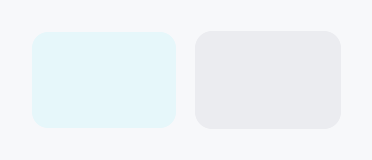
RectWidget — a leaf widget that paints a filled and/or stroked rounded rectangle.
Public functions
RectWidget
| Returns | Function |
|---|---|
| Constructors | |
Self | new() |
| Builder methods | |
Self | background(paint: impl Into<PaintProp>) |
Self | border_sides(sides: impl Into<Prop<Option<BorderSides>>>) |
Self | border_position(position: BorderPosition) |
Self | border_color(color: impl Into<ColorProp>) |
Self | border_width(width: impl Into<Prop<f32>>) |
Self | corner_radius(radius: impl Into<Prop<CornerRadius>>) |
Detailed description
RectWidget has no intrinsic content: it fills whatever space its parent
proposes (or reports 0×0 when unconstrained) and draws a fill (solid color
or gradient), an optional border (a uniform stroke positioned inside / center
/ outside, or per-side edge fills for an underline), and an optional corner
radius. It is the low-level building block for card backgrounds, focus rings,
dividers, underlined fields, and highlight overlays.
The fill accepts impl Into<PaintProp> — anything Into<ColorProp> (a raw
Color, a theme role such as SurfaceRole::Hover, or a Signal<Color>) for
a solid, plus PaintProp::Linear / Radial for a gradient. Border color
accepts impl Into<ColorProp>, so reactive interaction-driven colors require
no extra wiring.
#![allow(unused)]
fn main() {
use teksilo_tokens::{Color, CornerRadius};
use teksilo_widgets::primitives::RectWidget;
// A pill-shaped accent badge background:
let _w = RectWidget::new()
    .background(Color::from_rgba(0.2, 0.5, 1.0, 1.0))
    .corner_radius(CornerRadius::uniform(12.0));
}
Density
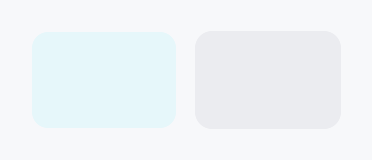
The picture above is the widget at TargetDensity::Compact, the mouse-and-keyboard ladder. Below is the same subject on the same canvas with only the ladder changed, so what moves is the density and nothing else — where the subject no longer fits, that is what the denser targets cost it at that size. See docs/density-and-targets.md.
Touch
API reference
📖 Full rustdoc API for this module
pub struct RectWidget
Import: use teksilo::widgets::RectWidget;
A leaf widget that paints a filled and/or stroked rounded rectangle.
See the module documentation for the full feature description.
All visual properties accept impl Into<ColorProp> (colors/roles/signals) or
impl Into<Prop<f32>> / impl Into<Prop<CornerRadius>> (static or reactive)
— so the common "fill with theme surface, border with theme border" setup is
just .background(SurfaceRole::Main).border_color(BorderRole::Default).
#![allow(unused)]
fn main() {
pub struct RectWidget { /* fields */ }
}
Methods
pub fn new() -> Self
Create a fully transparent, zero-border rectangle with no corner radius.
pub fn background(mut self, paint: impl Into<PaintProp>) -> Self
Fill. Accepts Color, a theme role (SurfaceRole, etc.), a
Signal<Color>, or a PaintProp (e.g. a gradient).
pub fn border_sides(mut self, sides: impl Into<Prop<Option<BorderSides>>>) -> Self (default: None)
Per-side border widths (e.g. BorderSides::bottom for an
underline). When set, overrides the uniform stroke; sides are
drawn as edge fills in border_color.
pub fn border_position(mut self, position: BorderPosition) -> Self (default: BorderPosition::Center)
Where a uniform stroke sits relative to the rect edge
(inside / center / outside). Ignored when border_sides is set.
pub fn border_color(mut self, color: impl Into<ColorProp>) -> Self
Border color. Accepts Color, a theme role (BorderRole, etc.),
or a Signal<Color>.
pub fn border_width(mut self, width: impl Into<Prop<f32>>) -> Self (default: 0.0)
Stroke width, in logical pixels. Accepts a static value or a reactive Signal<f32>.
pub fn corner_radius(mut self, radius: impl Into<Prop<CornerRadius>>) -> Self (default: CornerRadius::ZERO)
Corner radius for the fill and stroke. Accepts a CornerRadius (per-corner
control) or a reactive Signal<CornerRadius>.