ScrollArea
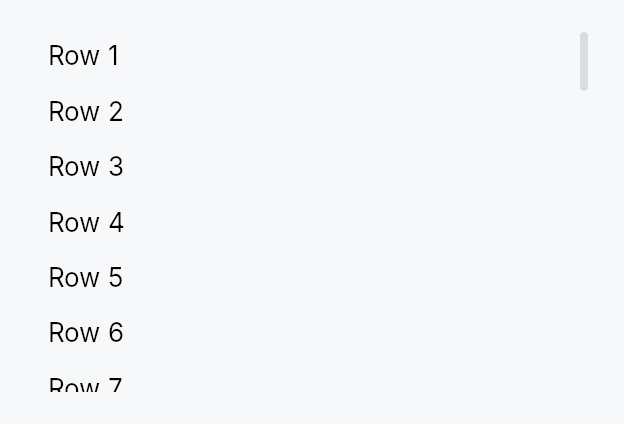
ScrollArea — a clipping viewport that scrolls its content on wheel, on a finger's pan, and on assistive-technology actions.
Public types
| Kind | Name |
|---|---|
enum | ScrollBarMode — How the scroll bar is presented relative to the viewport content |
enum | ScrollBarPolicy — Controls when the scroll bar appears for a given axis |
struct | ScrollArea — A clipping viewport that makes any child widget scrollable |
Public functions
ScrollArea
Detailed description
Wrap any widget in ScrollArea to make it scrollable. The scroll position
is stored in reactive Signal<f32> signals (one per axis), shared with the
built-in ScrollBar children. Two display
modes cover most use cases: Overlay (the default, macOS-style thin-at-rest
indicator that expands on hover) and Permanent (a layout-consuming gutter
always on screen). Use ScrollBarPolicy to control when each axis shows.
Pan to scroll
ScrollArea is the reference adopter of ScrollableBehavior: it
declares a both-axis pan claim, so a direct pointer dragging its content is
synthesised by the router into a positioned Scroll and delivered along the
claimant chain. A release hands its velocity to the tree's fling driver,
whose coast arrives back here as ordinary scroll deltas and stops — and
chains outward — at the boundary, exactly as a wheel notch does. A mouse
never pans: the wheel is its scroll device, and its behaviour here is
unchanged in every particular.
Following the finger past the end is off by default
(ScrollArea::rubber_band); a nested area that banded at its own end could
never hand the gesture to the container around it.
Wheel and hover
Shift held over a vertical wheel scrolls the area horizontally when it has
horizontal range (ScrollArea::shift_wheel_scrolls_horizontally, on by
default). Overlay bars can be shown for as long as the pointer is over the
area (ScrollArea::reveal_bars_on_hover, off by default).
Accessibility
Reports Role::ScrollView with per-axis scroll_y / scroll_x position
and limit fields. Advertises ScrollUp / ScrollDown / ScrollLeft /
ScrollRight actions only for the axes that actually overflow, so AT clients
(NVDA, JAWS, VoiceOver) know which directions are reachable.
#![allow(unused)]
fn main() {
use teksilo_widgets::scroll_area::{ScrollArea, ScrollBarMode};
use teksilo_widgets::primitives::MinSize;
let _w = ScrollArea::new()
    .child(MinSize::new(0.0, 2000.0))
    .scroll_bar_style(ScrollBarMode::Permanent)
    .smooth_scrolling(true);
}
Density
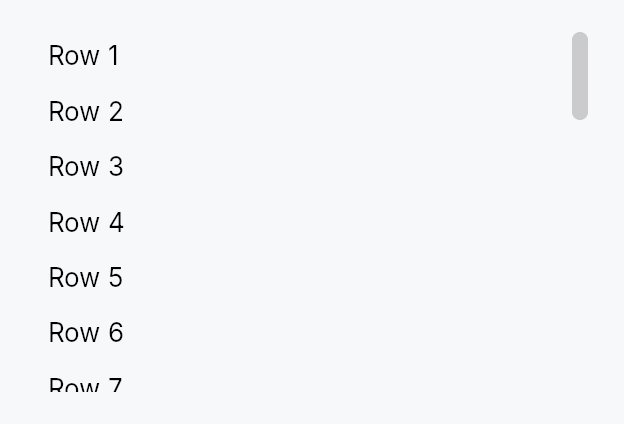
The picture above is the widget at TargetDensity::Compact, the mouse-and-keyboard ladder. Below is the same subject on the same canvas with only the ladder changed, so what moves is the density and nothing else — where the subject no longer fits, that is what the denser targets cost it at that size. See docs/density-and-targets.md.
Touch
API reference
📖 Full rustdoc API for this module
pub enum ScrollBarMode
Import: use teksilo::widgets::ScrollBarMode;
How the scroll bar is presented relative to the viewport content.
#![allow(unused)]
fn main() {
pub enum ScrollBarMode { /* variants */ }
}
Variants
Overlay— Scroll bar overlays the content (macOS-style): a thin passive indicator is painted while scrolling; the full interactive track expands on pointer proximity. Does not reduce the viewport width.Permanent— Scroll bar is a permanent layout sibling of the viewport, reserving its full thickness and always remaining interactive — the classic Windows/Linux gutter style.Thin— Floats over the content likeOverlaybut only ever shows the thin resting indicator, never the full track. A passive scroll-position display for minimal UIs; drag and track-click still work against the full slot bounds. Not the keyboard. The bar's arrow /Home/End/Pagearms sit on a node builtfocusable(false), so no keyboard user reaches them under any of the three modes — seeScrollBarPolicy::AlwaysOff, which states the same limit from the other side, anddocs/touch-and-pen.md§10.2, which carries it as an open finding.
pub enum ScrollBarPolicy
Import: use teksilo::widgets::ScrollBarPolicy;
Controls when the scroll bar appears for a given axis.
#![allow(unused)]
fn main() {
pub enum ScrollBarPolicy { /* variants */ }
}
Variants
AsNeeded— Show the scroll bar only when content exceeds the viewport size (default).AlwaysOn— Always show the scroll bar, even when content fits without scrolling.AlwaysOff— Never show the scroll bar; the content still scrolls on a wheel, on a finger's pan, and from the assistive-technology scroll actions the viewport advertises. Not from the keyboard:ScrollAreainstalls no key handler, and the arrow / Home / End / Page arms onScrollBarbelong to a node builtfocusable(false), so no keyboard user reaches them. A focused descendant is still revealed — that isScrollIntoView, not a key the viewport handles.
pub struct ScrollArea
Import: use teksilo::widgets::ScrollArea;
A clipping viewport that makes any child widget scrollable.
The scroll offset per axis is stored in a reactive Signal<f32>, shared
with the built-in ScrollBar children. See ScrollBarMode for display
options and ScrollBarPolicy for per-axis visibility control.
#![allow(unused)]
fn main() {
pub struct ScrollArea { /* fields */ }
}
Methods
pub fn new() -> Self
Create a new ScrollArea with overlay scroll bars, smooth scrolling, and no content yet.
pub fn rubber_band(mut self, enabled: bool) -> Self
Let a finger drag the content past its end, with decreasing gain, and
release it on the lift — the iOS / Flutter BouncingScrollPhysics feel.
Off by default, and the default is load-bearing. A surface that follows the finger past its end has absorbed the movement, so a nested area that banded could never hand the gesture to the container around it. The band belongs to the outermost area of a scroll chain.
prefers-reduced-motion hard-clamps it whatever this says.
pub fn overscroll_signal(&self) -> Signal<Vec2>
How far past its range the content is currently being held, per axis,
after the band. Always ZERO with Self::rubber_band off.
The scroll offset itself never leaves the range, so this is the signal a surface binds to draw a stretch or a glow; ignoring it is correct.
pub fn child(mut self, child: impl teksilo_core::IntoTeksiChild) -> Self
Set the scrollable content widget.
pub fn child_opt(self, widget: Option<impl teksilo_core::IntoTeksiChild>) -> Self
Attach widget when it is Some, and do nothing when it is None.
The conditional-child form. teksu!'s if without an else lowers to
this, and it is what cond.then(|| w) is for in a builder chain. None
adds no arena node, so nothing is laid out, painted, or published to the
accessibility tree, and a stack applies no spacing around it.
pub fn from_id(child: WidgetId) -> Self
Construct from an already-registered child WidgetId.
pub fn scroll_bar_style(mut self, style: ScrollBarMode) -> Self
Set the scroll bar display mode (Overlay, Permanent, or Thin).
pub fn scroll_bar_thumb_color(mut self, color: impl Into<ColorProp>) -> Self (default: None)
Tint the built-in scroll bars' thumb with an explicit colour instead of
the theme's scrollbar_thumb* tokens. Accepts anything
impl Into<ColorProp> — a Color, a theme role, or a Signal —
resolved against the live theme at paint, so roles/signals stay
reactive. Forwarded to both scroll bars via
ScrollBar::thumb_color.
Use when the area sits on a surface the surface-relative tokens don't
suit — e.g. a tooltip's inverse chip (TextRole::TooltipText).
pub fn vertical_scroll_bar_policy(mut self, policy: ScrollBarPolicy) -> Self
Set the vertical scroll bar visibility policy.
pub fn horizontal_scroll_bar_policy(mut self, policy: ScrollBarPolicy) -> Self
Set the horizontal scroll bar visibility policy.
pub fn line_height(mut self, lh: f32) -> Self (default: 20.0)
Set the pixels-per-line used when translating line-based wheel events.
pub fn scroll_bar_thickness(mut self, thickness: f32) -> Self (default: 12.0)
Set the scroll bar thickness in logical pixels (applies to both axes).
pub fn widget_resizable(mut self, resizable: bool) -> Self (default: false)
When true, content smaller than the viewport is stretched to fill it.
Similar to Qt's QScrollArea::setWidgetResizable(true).
pub fn shift_wheel_scrolls_horizontally(mut self, enabled: bool) -> Self
Whether Shift held over a vertical wheel scrolls the area sideways
(default true) — the Windows and GTK convention, and the one
TabBar and the table views already follow.
The remap applies only to a wheel notch or trackpad delta with no horizontal component of its own, and only while the area can actually scroll horizontally: a vertical-only area keeps scrolling vertically with Shift held, and a real horizontal delta (macOS sends one itself) is never rewritten. A finger's pan is never remapped. Turn it off for an area whose content binds Shift+wheel to something else.
pub fn reveal_bars_on_hover(mut self, enabled: bool) -> Self
Show the scroll bars while the pointer is over the area (default
false), and hide them again when it leaves.
Overlay and thin bars are otherwise revealed only by proximity to the
bar itself, or by a finger's pan. With this on, a bar appears as soon as
the mouse (or a hovering pen) enters the area, through the same reveal
a touch pan raises, so the style renders it exactly as it does for a
pan; a contact never produces hover, so touch is unchanged. Ignored for
ScrollBarMode::Permanent, whose bar is always there.
pub fn smooth_scrolling(mut self, enabled: bool) -> Self
Enable or disable smooth animated scrolling for wheel events.
Enabled by default. Applies to both line-based (ScrollDelta::Lines)
and pixel-based (ScrollDelta::Pixels) wheel events — on Wayland and
other platforms with high-resolution scroll axes, mouse wheel notches
are delivered as pixel deltas, so animating both paths is required for
a fast flick to feel smooth instead of jumping.
pub fn smooth_scroll_duration(mut self, duration: Duration) -> Self
Set the duration of the smooth scroll animation (default: 150ms).
pub fn scroll_past_end(mut self, fraction: impl Into<Prop<f32>>) -> Self
Allow scrolling past the end of the content by fraction of the
viewport height (default 0.0 — the last pixel of content stops flush
with the bottom of the viewport).
This extends the scroll range only. It adds no widget, no padding and no layout, so it cannot interfere with the content's own padding — a distinction worth keeping, since padding-based implementations of this idea in other toolkits are a recurring source of "single-line content is scrollable" bugs.
The motivating case is typewriter scrolling: to pin the caret's line at
the middle of the viewport, the view must be able to scroll half a
viewport past the last line, or the pin quietly stops working over the
final page — exactly where a writer spends their time. Pair with
EventContext::ensure_visible_aligned, passing 1.0 - fraction here
for a pin at fraction.
Accepts a literal or a Signal<f32>, so it can follow a setting live.
Negative values are treated as 0.0.
pub fn preferred_size(mut self, width: f32, height: f32) -> Self
Set a preferred size returned when the parent proposes unconstrained dimensions. If not set, falls back to cached content size or 300×200.
This overrides both axes. If you only want to cap the height and let
the width follow the content — the usual case for a menu or popover, which
must be as wide as its widest row — use preferred_height instead.
Passing a width of 0.0 here does not mean "no preference": it means
zero, and the scroll area will collapse.
pub fn preferred_height(mut self, height: f32) -> Self (default: None)
Cap the height when the parent proposes an unconstrained one, while letting the width continue to follow the content.
This is what a scrolling menu/popover wants: it must not grow taller than
its viewport, but it must still be as wide as its widest item. Using
preferred_size with a 0.0 width for this
collapses the panel to its minimum width and clips every row — the parent
proposes an unconstrained width (it is hugging its content), so the 0.0
is taken literally.
pub fn overscroll_behavior(mut self, behavior: OverscrollBehavior) -> Self
Set the scroll-chaining behavior at the boundary. Default
OverscrollBehavior::Chain (a boundary scroll bubbles to an ancestor
scrollable); OverscrollBehavior::Contain absorbs it instead.
pub fn restore_scroll_y(self, offset: f32) -> Self
Land offset on the first layout pass at which this area has a real
scrollable range, then forget it.
max_scroll_y is 0.0 until the content has been measured, so an
offset a host writes before that first measurement is clamped away to
zero and the page paints at the top for a frame before jumping to
where it should have started. This stores the offset instead and
applies it itself, inside layout, as soon as max_scroll_y becomes
nonzero, before the ordinary clamp would otherwise discard it, so the
very first frame the content is measured on is already laid out at
the restored position, with no visible jump.
It is a one-shot: once applied, it is dropped, so a later reflow (a wider window, an edit that lengthens the document) never yanks the reader back to where they came in. The offset is still clamped to the real range when it lands: past the end it lands at the end, negative it lands at zero.
offset <= 0.0 is a no-op: there is nothing to restore, and it clears
any previously armed offset rather than leaving it pending.
An area that never calls this behaves exactly as it always has.
pub fn scroll_y_signal(&self) -> &Signal<f32>
Get the vertical scroll position signal (for external observation).
pub fn scroll_x_signal(&self) -> &Signal<f32>
Get the horizontal scroll position signal (for external observation).
pub fn max_scroll_y_signal(&self) -> &Signal<f32>
Maximum vertical scroll offset for the current content
(content_height − viewport_height, or 0 when content fits), plus any
range bought with scroll_past_end.
External callers bind to this for "is there more to scroll?"
chrome (e.g. trailing scroll-arrow visibility).
pub fn viewport_ratio_y_signal(&self) -> &Signal<f32>
Fraction of the scrollable height currently visible (1.0 when
everything fits) — what sizes the vertical scroll bar's thumb. Accounts
for scroll_past_end, so the thumb stays
proportional to the range the user can actually travel.
pub fn max_scroll_x_signal(&self) -> &Signal<f32>
Maximum horizontal scroll offset for the current content. External callers bind to this for "is there more to scroll?" chrome (e.g. trailing scroll-arrow visibility on a tab bar).