ScrollBar
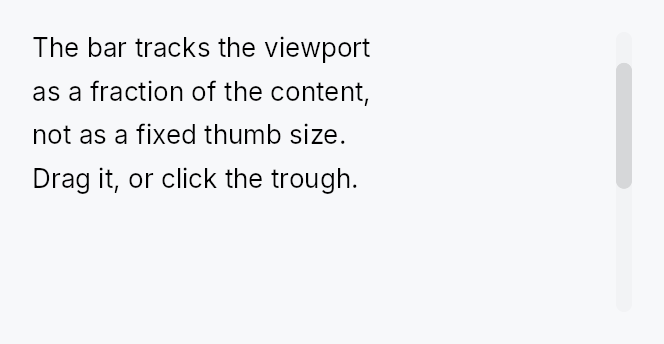
ScrollBar — pointer and keyboard affordance for a ScrollArea.
Public types
| Kind | Name |
|---|---|
const | SCROLLBAR_COARSE_TARGET — The width a scroll bar's thumb must be reachable across for a finger |
const | SCROLLBAR_MIN_THUMB_LENGTH — The shipped minimum thumb length, at Compact |
const | SCROLLBAR_PART_THUMB — Which part of the bar a TargetRegion describes |
const | SCROLLBAR_PART_TRACK — The track either side of the thumb: a tap there pages |
struct | ScrollBar — A scroll bar that shares reactive scroll-position state with a ScrollArea |
Public functions
ScrollBar
Detailed description
ScrollBar reads and writes a shared Signal<f32> scroll position and a
Signal<f32> viewport/content ratio, both supplied by its owning ScrollArea.
Interaction (thumb drag, track click, keyboard Up/Down/Home/End, hover) is
handled here; all painting is delegated to the active ScrollBarStyle impl so
the look is fully theme-overridable.
Most applications do not need to construct a ScrollBar directly — ScrollArea
creates and manages the bars automatically. Use this type when building a custom
scroll host (e.g. the RichTextEditor manages its own bars to avoid the
wrap/scrollbar circular dependency).
Reaching the thumb with a finger
The bar is 8–12 dp wide, and it stays that way at every density: growing it
would move the content beside it, and a scroll bar is chrome. The thumb is
reached instead by the two mechanisms built for exactly this — the node
widens for a coarse pointer through Widget::hit_outset, to the 48 dp
Android reserves for a scrollbar touch target, and the thumb itself is
published through Widget::target_regions so the target-conformance audit
can see a rectangle that is painted inside one leaf node and would otherwise
be invisible to it. A precise pointer gets no outset at all: a cursor's
hot-spot is exact, and widening its targets steals clicks from the content.
Because the outset widens the bar across the scroll axis, every decision about whether a press is on the thumb is taken along the axis only — a finger 15 dp inboard of an 8 dp bar is beside the thumb, not past it.
The minimum thumb length is the active style's
ScrollBarStyle::min_thumb_length, which follows the density (24 dp
Compact, 44 dp Touch under the shipped style), so a short thumb on a long
document is still something a finger can land on.
Accessibility
Hidden from AT via set_hidden(). Scroll actions (Up/Down/Left/Right) are
advertised on the parent ScrollView node, not on the bar, so screen readers
navigate the content region directly without stopping on the thumb.
#![allow(unused)]
fn main() {
use teksilo_widgets::scroll_bar::{ScrollBar, ScrollBarOrientation, ScrollBarVariant};
use teksilo_core::signal::Signal;
let position = Signal::new(0.0_f32);
let max_scroll = Signal::new(500.0_f32);
let viewport_ratio = Signal::new(0.4_f32);
let _bar = ScrollBar::new(
    ScrollBarOrientation::Vertical,
    position,
    max_scroll,
    viewport_ratio,
)
.thickness(8.0)
.variant(ScrollBarVariant::Overlay);
}
Density
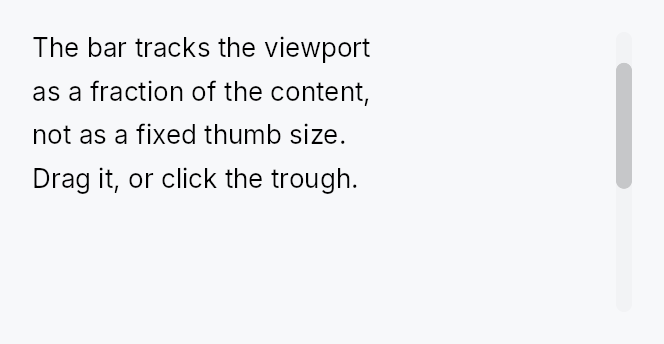
The picture above is the widget at TargetDensity::Compact, the mouse-and-keyboard ladder. Below is the same subject on the same canvas with only the ladder changed, so what moves is the density and nothing else — where the subject no longer fits, that is what the denser targets cost it at that size. See docs/density-and-targets.md.
Touch
API reference
📖 Full rustdoc API for this module
pub const SCROLLBAR_COARSE_TARGET
Import: use teksilo::widgets::scroll_bar::SCROLLBAR_COARSE_TARGET;
The width a scroll bar's thumb must be reachable across for a finger.
Android's ViewConfiguration.MIN_SCROLLBAR_TOUCH_TARGET — the bar keeps its
8–12 dp paint at every density and reaches this through
Widget::hit_outset, which moves nothing and repaints nothing.
#![allow(unused)]
fn main() {
pub const SCROLLBAR_COARSE_TARGET: f32 = 48.0;
}
pub const SCROLLBAR_MIN_THUMB_LENGTH
Import: use teksilo::widgets::scroll_bar::SCROLLBAR_MIN_THUMB_LENGTH;
The shipped minimum thumb length, at Compact.
A bar takes its floor from the active style's
ScrollBarStyle::min_thumb_length at build time: the shipped style and
the trait default both answer this value raised to the density's
target_size (32 dp at Comfortable, 44 dp at Touch), and a preset answers
its own (28 dp under macOS, 30 dp under Fluent, at Compact). Before its
first build a bar uses this value. A
min_thumb_length override wins over all of
them.
#![allow(unused)]
fn main() {
pub const SCROLLBAR_MIN_THUMB_LENGTH: f32 = 24.0;
}
pub const SCROLLBAR_PART_THUMB
Import: use teksilo::widgets::scroll_bar::SCROLLBAR_PART_THUMB;
Which part of the bar a TargetRegion describes.
Reported so an audit — and a router routing a coarse press — can tell the grab affordance from the paging surface around it.
#![allow(unused)]
fn main() {
pub const SCROLLBAR_PART_THUMB: u16 = 0;
}
pub const SCROLLBAR_PART_TRACK
Import: use teksilo::widgets::scroll_bar::SCROLLBAR_PART_TRACK;
The track either side of the thumb: a tap there pages.
#![allow(unused)]
fn main() {
pub const SCROLLBAR_PART_TRACK: u16 = 1;
}
pub struct ScrollBar
Import: use teksilo::widgets::ScrollBar;
A scroll bar that shares reactive scroll-position state with a ScrollArea.
Supports thumb drag, track-click page scroll, and keyboard Up/Down/Left/Right/Home/End navigation. Hidden from AT — see module docs.
#![allow(unused)]
fn main() {
pub struct ScrollBar { /* fields */ }
}
Methods
pub fn new( orientation: ScrollBarOrientation, scroll_position: Signal<f32>, max_scroll: Signal<f32>, viewport_ratio: Signal<f32>, ) -> Self
Create a new ScrollBar with shared state.
scroll_position: sharedSignal<f32>for current scroll offsetmax_scroll: sharedSignal<f32>for maximum scroll offsetviewport_ratio: sharedSignal<f32>for viewport/content ratio (0.0..1.0)
pub fn thickness(mut self, thickness: f32) -> Self (default: 8.0)
Set the bar thickness (width for vertical, height for horizontal).
pub fn min_thumb_length(mut self, len: f32) -> Self (default: None)
Set the minimum thumb length in pixels, overriding the active style.
Left unset the floor is the active style's
ScrollBarStyle::min_thumb_length at the tree's density: under the
shipped style SCROLLBAR_MIN_THUMB_LENGTH raised to the density's
target size (24 dp at Compact, 44 dp at Touch), so a short thumb on a
long document stays something a finger can land on.
pub fn reveal(mut self, revealed: Signal<bool>) -> Self
Show the bar for as long as revealed is true, whatever hover says.
An overlay bar is normally revealed by pointer proximity, which a
contact never produces. ScrollArea raises this while a finger's pan is
in flight; a density whose RevealPolicy
is Always seeds it true at build. It only ever adds a reveal — nothing
here can hide a bar that hover has shown.
pub fn step_size(mut self, step: f32) -> Self (default: 40.0)
Set the scroll step for keyboard navigation.
pub fn visual(mut self, variant: ScrollBarVariant) -> Self
Set the visual variant. The active ScrollBarStyle picks how
to paint each variant; the IntUI default ships Permanent /
Overlay / Thin out of the box.
pub fn variant(mut self, variant: ScrollBarVariant) -> Self
Alias for visual using the new variant naming.
pub fn style(mut self, style: impl ScrollBarStyle) -> Self
Override the active ScrollBarStyle for this widget instance only.
pub fn thumb_color(mut self, color: impl Into<ColorProp>) -> Self (default: None)
Tint the thumb with an explicit colour instead of the theme's
scrollbar_thumb* tokens. Accepts anything impl Into<ColorProp> —
a Color, a theme role (TextRole/SurfaceRole/…), or a Signal;
resolved against the live theme at paint, so roles and signals stay
reactive. The active ScrollBarStyle derives the idle/hover/pressed
states from this tint. Use when the bar sits on a surface the
surface-relative tokens don't suit — a tooltip's inverse chip, a
branded panel. Mirrors Button::text_role.