TableView
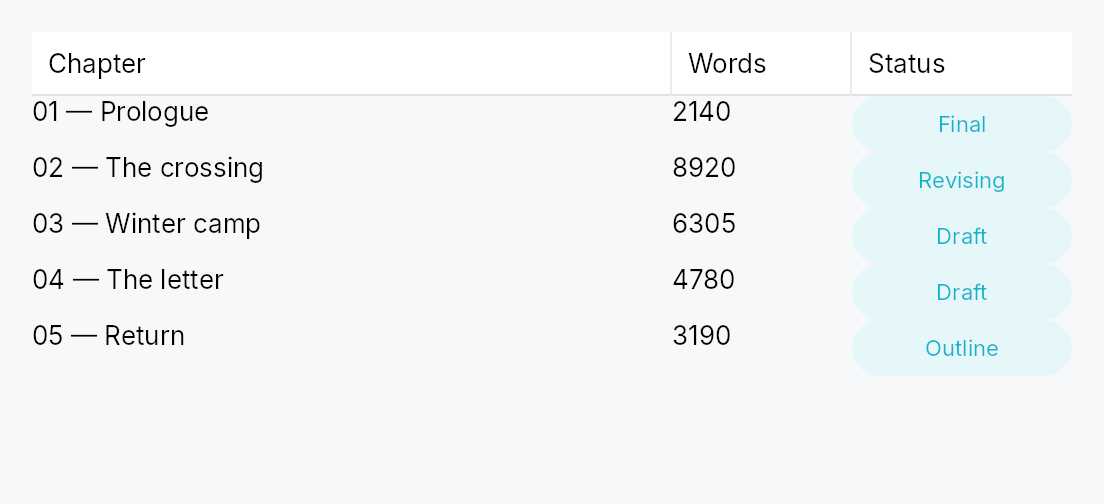
TableView<T> — generic, virtualized, accessible tabular widget.
Public types
| Kind | Name |
|---|---|
struct | TableView — Generic, virtualized, accessible table with sortable / filterable / resizable columns |
struct | TableViewHandle — A handle on a mounted TableView, to scroll it to a row from outside the widget — a view-model reacting to a search hit, a "go to row" command |
enum | ColumnWidth — How a column's width is determined during layout |
enum | PinnedSide — Whether a column is pinned to one side of the table |
enum | Alignment — Horizontal alignment of a cell's content within its column |
enum | TruncationPolicy — Strategy when a cell's text overflows its column |
enum | GridLines — Whether the table draws grid lines between rows / columns |
enum | ColumnResizePolicy — Whether column resize commits the new width on every drag tick (Live) or only on Ended (OnRelease) |
struct | EditTriggers — Which gestures open a cell editor — a set, composed with |, after Qt's QAbstractItemView::EditTriggers |
enum | TabTraversal — Tab / Shift-Tab traversal policy across cells of a row |
struct | CellContext — Per-cell context handed to a column's cell delegate during build |
struct | ColumnContext — Per-column-header context handed to a column's header delegate |
struct | ColumnSpec — What a column is to its header: id, title, width policy and the user gestures it allows — every part of a Column except how its cells are built |
struct | Column — Single column declaration |
enum | TableSelectionMode — Selection mode for a TableView or TreeTableView |
struct | CellSelectionModel — Cell-level selection state for TableSelectionMode::SingleCell / MultiCell |
Public functions
TableView
TableViewHandle
| Returns | Function |
|---|---|
| Methods | |
scroll_to_row(row: usize) | |
ensure_row_visible(row: usize) |
EditTriggers
| Returns | Function |
|---|---|
| Builder methods | |
Self | union(other: Self) |
Self | intersection(other: Self) |
| Methods | |
bool | contains(other: Self) |
bool | is_empty() |
| Constants and types | |
Self | NONE |
Self | F2 |
Self | ANY_KEY |
Self | SINGLE_CLICK |
Self | DOUBLE_CLICK |
Self | ALL |
ColumnSpec
| Returns | Function |
|---|---|
| Constructors | |
Self | new(id: impl Into<String>, title: impl Into<LocalizedString>) |
| Builder methods | |
Self | width(w: ColumnWidth) |
Self | min_width(px: f32) |
Self | max_width(px: f32) |
Self | alignment(a: Alignment) |
Self | resizable(b: bool) |
Self | reorderable(b: bool) |
Self | sortable(b: bool) |
Self | filterable(b: bool) |
Self | pinned(side: PinnedSide) |
| Methods | |
&str | id() |
Column
| Returns | Function |
|---|---|
| Constructors | |
Self | new(id: impl Into<String>, header: impl Into<LocalizedString>, cell: impl Fn(&T, &CellContext) -> Box<dyn Widget> + 'static) |
| Builder methods | |
Self | width(w: ColumnWidth) |
Self | min_width(px: f32) |
Self | max_width(px: f32) |
Self | alignment(a: Alignment) |
Self | resizable(b: bool) |
Self | reorderable(b: bool) |
Self | sortable(b: bool) |
Self | filterable(b: bool) |
Self | editable(b: bool) |
Self | edit_triggers(triggers: EditTriggers) |
Self | pinned(side: PinnedSide) |
Self | truncation(p: TruncationPolicy) |
Self | header_override(f: impl Fn(&ColumnContext) -> Box<dyn Widget> + 'static) |
| Methods | |
EditTriggers | effective_edit_triggers(view: EditTriggers) |
&str | id() |
TableSelectionMode
| Returns | Function |
|---|---|
| Methods | |
bool | is_cell_mode() |
bool | is_multi() |
CellSelectionModel
Detailed description
Built atop the ListModel<T> /
ListDataSource data layer in
teksilo-data and the teksilo-core TableStyle. Mirrors Qt's
QTableView, SwiftUI's Table, and JavaFX's TableView.
The core skeleton: single body pane, row-virtualized with alternating
backgrounds, grid lines, Role::Table > Role::Row > Role::Cell
accessibility, multi-row selection, and an empty-state slot. Headers,
sort, filter, resize, reorder, pinning, cell selection, and editing are
also included. Row heights come in three modes: uniform (row_height,
the default fast path), exact per-row callback (row_height_fn), and
auto-measured (auto_row_height — rows grow to their tallest cell,
height-for-width). See docs/table-view.md "Row heights".
The header strip is a TableHeader over the columns'
ColumnSpecs, which this view and TreeTableView
both compose and which works on its own over rows an application lays out
itself.
Column state an application owns
The sort, the column widths, the column order and the filters live in four
signals the table publishes (sort_signal(), column_widths_signal(),
column_order_signal(), filters_signal()). By default the table creates
them. bind_sort,
bind_column_widths,
bind_column_order and
bind_filters make the table adopt signals the
application already holds instead, so several views, or a view-model, share
one state without mirroring it.
- Adopting writes nothing. The table never seeds an adopted signal: not
when it is built, mounted, laid out or rebuilt. What the signal holds is
what the table shows; an empty map, an empty list or
Nonemeans the declared defaults. The table writes only for a user gesture (a header click, a resize drag, a reorder drop, the filter popover, an AccessKit increment) or an imperative setter (set_sort,set_column_widths, …). - Ids the table does not declare are ignored when read and kept when
written. A width, a filter or an order entry for a column this table
lacks changes nothing here, and a reorder in this table moves the
dragged column and leaves every other entry where it was. A column with
no width entry takes its declared
ColumnWidth. - A resize writes one width into an adopted map. The
Flexcolumns before the grip keep their widths, so the divider follows the pointer, but in this table only: the widths they had here are not the widths they have in a view of another size sharing the map. A table on its own map writes them into it, so the map it persists matches what it shows. - No feedback loop. A view reacts to a change by relaying out or rebuilding, never by writing back, so two views bound to the same signals follow each other's edits and settle after one pass.
- Bind before any imperative setter. A setter called earlier in the builder chain wrote the table's own signal, which the bind replaces.
use teksilo_data::ListModel;
use teksilo_widgets::table_view::{Column, ColumnWidth, TableView};
use teksilo_i18n::lit;

struct Person { name: String, age: u32 }

let model: ListModel<Person> = ListModel::new();
let _table = TableView::new(model)
    .add_column(Column::new("name", ColumnWidth::Flex(1.0))
        .label(lit!("Name"))
        .cell(|p: &Person, _cx| Box::new(
            teksilo_widgets::primitives::TextWidget::new(
                teksilo_i18n::lit!(p.name.clone())
            )
        )))
    .add_column(Column::new("age", ColumnWidth::Fixed(60.0))
        .label(lit!("Age"))
        .cell(|p: &Person, _cx| Box::new(
            teksilo_widgets::primitives::TextWidget::new(
                teksilo_i18n::lit!(p.age.to_string())
            )
        )))
    .alternating_rows(true)
    .row_height(32.0);
Scrolling to a row
handle returns a TableViewHandle, a cheap Clone
taken before the table is added and usable from any handler afterwards. Its
scroll_to_row and
ensure_row_visible are applied at
the next layout pass, after row measurement and scroll anchoring, so they
may follow a model change in the same turn, or be called before mount:
#![allow(unused)]
fn main() {
use teksilo_data::ListModel;
use teksilo_widgets::TableView;
let model: ListModel<String> = ListModel::new();
let table = TableView::new(model.clone());
let handle = table.handle();
// … add the columns, `ctx.add(table)`; then, from a handler:
model.insert(0, "Fresh".into());
handle.ensure_row_visible(0);
}
The builder-value methods of the same names compute the offset when they are called, against the last layout pass. See docs/table-view.md, "Scrolling to a row".
Pan to scroll
The view installs common::scrollable::ScrollableBehavior,
which gives it the shared wheel arithmetic, a finger's pan and the
PanClaim that puts it on a pan's claimant chain. A pan scrolls it, the
release coasts, and a pan it cannot absorb hands the whole event to the
container outside — never a residual. A pan that starts on a row scrolls
rather than activating it or collapsing a multi-selection onto it. Both axes
are claimed. Shift+wheel still
scrolls the columns, and a finger's pan is never remapped by a held Shift:
the remap is a wheel convention, and turning a drag sideways is not what
the hand asked for.
Density
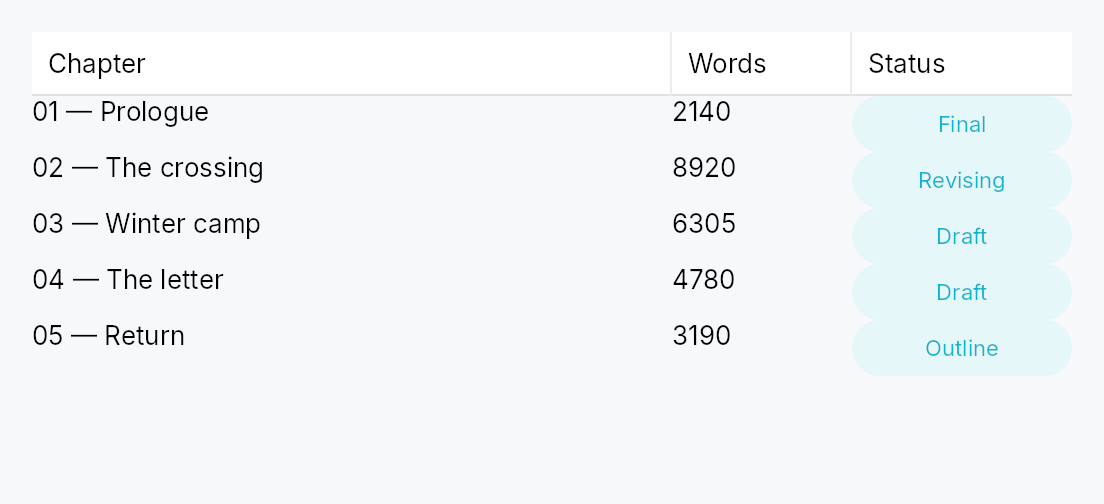
The picture above is the widget at TargetDensity::Compact, the mouse-and-keyboard ladder. Below is the same subject on the same canvas with only the ladder changed, so what moves is the density and nothing else — where the subject no longer fits, that is what the denser targets cost it at that size. See docs/density-and-targets.md.
Touch
API reference
📖 Full rustdoc API for this module
pub struct TableView
Import: use teksilo::widgets::TableView;
Generic, virtualized, accessible table with sortable / filterable / resizable columns.
Construct with TableView::new (from a ListModel<T>)
or TableView::from_source (any ListDataSource), then chain builder methods
to configure columns, row heights, selection, and so on. See module docs for the full
feature list and row-height modes.
#![allow(unused)]
fn main() {
pub struct TableView<T: 'static> { /* fields */ }
}
Methods
pub fn new(model: ListModel<T>) -> Self
Wrap a ListModel<T>.
pub fn from_source<S: ListDataSource<Item = T>>(source: S) -> Self
Wrap any ListDataSource<Item = T> (e.g. a
SortFilterListModel<T>).
The source owns DnD validation (can_accept / accept_drop) and
lazy windowing (row_state / request_window / fetch_more); a
read-only source leaves the defaults inert.
pub fn from_source_keyed<S: ListDataSource<Item = T>>( source: S, keyed: KeyedSelectionModel<S::Key>, ) -> Self where S::Key: ItemKey,
Wrap any ListDataSource<Item = T> with keyed row selection. The
KeyedSelectionModel<S::Key> tracks selection by source identity, so it
survives reorders / filters / lazy window-slides and stays consistent
across two views of the same source. The view stays TableView<T> — the
index↔key mapping is captured from the concrete source here. Equivalent
to from_source(..) plus an identity-based replacement for
selection.
pub fn enabled(mut self, enabled: impl Into<Prop<bool>>) -> Self
Enable or disable the whole view. A disabled view greys out and stops accepting focus / selection / keyboard input (arena-gated).
pub fn overscroll_behavior(mut self, behavior: OverscrollBehavior) -> Self
Set the scroll-chaining behavior at the boundary (default
OverscrollBehavior::Chain; Contain
disables chaining to an ancestor scrollable).
pub fn smooth_scrolling(mut self, enabled: bool) -> Self
Enable or disable animated wheel scrolling (enabled by default). When disabled, wheel events snap immediately to the new offset.
pub fn type_ahead_label(mut self, label: impl Fn(&T) -> String + 'static) -> Self
Enable type-ahead ("type to jump"): typing a printable character
while the table has keyboard focus jumps the focused row to the next
row whose label starts with the accumulated search term, wrapping
around (Qt keyboardSearch / macOS & Windows type-select).
label(&item) yields the searchable text for a row; matching is
ASCII-case-insensitive. A pause longer than the
type_ahead_timeout starts a fresh term.
On an editable column whose EditTriggers is type-to-edit, typing
starts an edit instead — type-ahead applies on non-editable columns
(or when no type-to-edit trigger is configured).
pub fn type_ahead_timeout(mut self, timeout: Duration) -> Self
Reset window between keystrokes before the type-ahead search term clears (default 500 ms). A zero duration disables type-ahead.
pub fn smooth_scroll_duration(mut self, duration: Duration) -> Self
Duration of the smooth scroll animation (default 150 ms).
pub fn scroll_bar_style(mut self, style: ScrollBarMode) -> Self
How the scroll bar is displayed (default Permanent). Overlay
and Thin float the bar over the content instead of reserving a
layout column for it, mirroring ScrollArea::scroll_bar_style.
pub fn add_column(mut self, col: Column<T>) -> Self
Append a single Column<T> definition to the table.
pub fn columns(mut self, cols: impl IntoIterator<Item = Column<T>>) -> Self
Append multiple Column<T> definitions from an iterator.
pub fn row_height(mut self, height: f32) -> Self
Fixed row height, the uniform fast path. Default: the active
TableStyle's
row_height, 28 px
under IntUI at the Compact density. Mutually exclusive with
row_height_fn and
auto_row_height; the last mode setter
wins.
pub fn row_height_fn(mut self, f: impl Fn(usize) -> f32 + 'static) -> Self
Per-row heights from a callback over the visible row index. The
callback must be pure (same index + same data → same height); it
is re-swept from the first changed index on every model change
(a SortFilterListModel source reports that index through
first_changed_index, so sort/filter/append keep the valid
prefix). No measurement pass runs.
pub fn auto_row_height(mut self, estimated: f32) -> Self
Auto-measured row heights: each realized row reports the height
of its tallest cell measured at the cell's column width
(height-for-width), unrealized rows assume estimated. Scroll
anchoring keeps content above the viewport stationary as
estimates are corrected; the scrollbar settles one frame after a
measurement change.
pub fn header_height(mut self, height: f32) -> Self
Override the column header row height in logical pixels. Default: the
active TableStyle's
header_height,
32 px under IntUI at the Compact density.
pub fn show_header(mut self, visible: bool) -> Self
Show or hide the column header row. Default: visible.
pub fn column_resize_policy(mut self, policy: ColumnResizePolicy) -> Self
Set how column widths are redistributed when columns are
added, resized, or the table's own width changes. See
ColumnResizePolicy.
pub fn tab_traversal(mut self, mode: TabTraversal) -> Self
Control how Tab / Shift+Tab navigate between cells. See
TabTraversal.
pub fn edit_triggers(mut self, trigger: EditTriggers) -> Self
Set which user action opens a cell editor. See EditTriggers.
pub fn on_cell_edit_request( mut self, f: impl Fn(usize, &str, &mut teksilo_core::widget::EventContext) + 'static, ) -> Self
Hook fired by the keyboard handler when an edit trigger fires
on the focused cell. Receives (row_index, col_id, ctx).
pub fn on_cell_edit_dismissed( mut self, f: impl Fn(usize, &str, &mut teksilo_core::widget::EventContext) + 'static, ) -> Self
Callback invoked when an open cell editor should end because the pointer went somewhere else: a press that lands on any cell other than the one being edited. Receives the editing cell's flat row index and column id, so the owner can commit (or discard) whatever is in its buffer, then clear its own editing state.
The counterpart of on_cell_edit_request,
and the view cannot do it alone: the framework owns which cell is being
edited, but only the owner knows what an ended edit means — commit,
discard, or refuse a value that will not parse.
Why a press and not a focus change. "The editor lost focus" is the obvious signal and it cannot be used: a body pane rebuilds constantly — selection, filtering, scroll, a reload from elsewhere — and every rebuild destroys and re-creates the open editor, so focus leaves it many times during an edit the writer never interrupted. A press on another cell is unambiguous and happens exactly once.
pub fn on_row_activate( mut self, f: impl Fn(usize, &mut teksilo_core::widget::EventContext) + 'static, ) -> Self
Callback invoked when a row is activated: a click or a double click per
activate_on, or Enter on the focused row.
Receives the flat row index.
The pointer half is a gesture, so it arbitrates against a pan and against the reorder drag through the gesture arena: a click activates, a drag does not.
pub fn reorderable(mut self, enabled: bool) -> Self
Enable drag-to-reorder of rows (pointer drag + keyboard
Alt+ArrowUp/Down). Distinct from
Column::reorderable, which reorders
columns and defaults to true; this defaults to false.
The move is routed through the backing source's accept_drop: a
ListModel reorders in place, an external source routes the move to
its store. Per-hover the source's can_accept decides whether the
drop is allowed — a forbidden position shows no insertion line and
the drop is refused. A row may also be forbidden from dragging at
all (the source's drag gate). Cross-table / external drops arrive
at accept_drop as DragSource::Foreign; a bare ListModel
rejects them, an external source decides.
pub fn reorderable_rows(self, enabled: bool) -> Self
Renamed to reorderable, matching ListView,
GridView, TreeView and TreeTableView — this was the only view in
the family spelling it differently.
pub fn exportable(mut self, mode: DragTransferMode) -> Self where T: Clone,
Make rows droppable outside this view — on a
DropTarget, another data view, or the OS.
A dragged row (or the whole selection, when the pressed row is part of a
multi-selection) carries clones of its items in a public
RowDragData<T>, so a foreign receiver can pull
them out with payload.get_typed::<RowDragData<T>>() /
DropTarget::on_drop_typed::<RowDragData<T>>() — no serialization. This
also makes rows a drag source even without reorderable.
mode chooses what happens to the origin rows once a foreign target
accepts them: DragTransferMode::Move removes them (via the source's
on_drag_out, or on_rows_transferred_out),
DragTransferMode::Copy leaves them. A same-view reorder is never a
transfer, so mode never affects it. Requires T: Clone.
pub fn export_external(mut self, f: impl Fn(&[T]) -> Vec<(String, Vec<u8>)> + 'static) -> Self where T: Clone,
Additionally advertise the dragged rows as MIME data so they can be
dropped on a DropZone or exported to another
application / window via the OS. f maps the dragged items to
(mime_type, bytes) pairs (e.g. text/plain, text/uri-list, an
app-specific application/x-…). Implies exportable
(defaulting to DragTransferMode::Move if not already set). Requires
T: Clone.
pub fn on_rows_transferred_out( mut self, f: impl Fn(&[usize], &mut teksilo_core::widget::EventContext) + 'static, ) -> Self
Override how rows moved out to a foreign target are removed from this
view. Receives the dragged rows' indices (descending-safe) and the live
context. Without this, an exportable
Move drag removes them through the source's
on_drag_out (works out of the box for a ListModel).
pub fn accept_foreign_rows(mut self, accept: bool) -> Self
Accept exported rows dropped from a different view or source without
writing a custom ListDataSource. Pair with
on_rows_received, which is handed the dropped
items and the insertion index. (Same-view reorder is
reorderable; a custom ListDataSource can still
accept foreign drops through its can_accept/accept_drop instead.)
pub fn on_rows_received( mut self, f: impl Fn(Vec<T>, usize, &mut teksilo_core::widget::EventContext) + 'static, ) -> Self
Handler for rows accepted via accept_foreign_rows:
(items, insertion_index, ctx). Insert them into your model at the
index.
pub fn activate_on(mut self, mode: crate::data_views::ActivateOn) -> Self
Choose single- vs double-click activation for on_row_activate (default
ActivateOn::DoubleClick). Enter/Space activates in
either mode.
pub fn selection_mode(mut self, mode: TableSelectionMode) -> Self
Choose the row-selection granularity (None / Single / Multi).
See TableSelectionMode.
pub fn selection(mut self, sel: SelectionModel) -> Self
Set the index-based row selection model (positions). For identity-based
selection that survives reorder / filter / window-slide, build the view
with from_source_keyed instead.
pub fn cell_selection(mut self, sel: CellSelectionModel) -> Self
Install an independent cell-selection model on top of row selection.
See CellSelectionModel.
pub fn alternating_rows(mut self, enabled: bool) -> Self
Paint every other row with a tinted background. Default: off.
pub fn grid_lines(mut self, kind: GridLines) -> Self
Draw horizontal and/or vertical grid lines between cells.
See GridLines.
pub fn stretch_last_column(mut self, on: bool) -> Self
Let the last column in display order take up whatever width the
other columns leave, so the table never ends in a bare strip at its
trailing edge — Qt's stretchLastSection, NSTableView's
lastColumnOnlyAutoresizingStyle. Default: off.
Positional, not a property of a column: after a reorder it is the new last column that stretches and the previous one goes back to its own width. While a column stretches, its declared width is the floor it grows from, its user-resize override is ignored, and its trailing grip is disabled (no AccessKit Increment/Decrement either): any size the user gave it, the stretch would take straight back. Resizing any other column reflows it. Once the other columns exceed the viewport there is nothing left to stretch into — the last column sits at its own width and the pane scrolls, as in Qt.
Flex columns already share every spare pixel among themselves, so
a table of Flex columns looks the same either way: this is for
pixel-sized tables (Fixed / Auto, or widths the user has set)
that would otherwise end in a gap.
pub fn a11y_label(mut self, label: impl Into<LocalizedString>) -> Self
Provide an accessible label for the table (aria-label). Required
when the page hosts more than one table so screen readers can
distinguish them.
pub fn show_internal_scrollbars(mut self, show: bool) -> Self
Show or hide the built-in vertical and horizontal scroll bars. Default:
visible. Set to false when an external scroll bar is wired to
scroll_y_signal.
pub fn empty_view(mut self, f: impl Fn() -> Box<dyn Widget> + 'static) -> Self
Widget shown when the source is empty.
pub fn bind_sort(mut self, sort: Signal<Option<(String, SortDirection)>>) -> Self
Use sort as this table's sort state instead of a signal of its own:
header clicks and set_sort write it, and a write
from anywhere else updates the header. sort_signal
returns it. Bind the same signal to a
SortFilterListModel to re-sort
the rows.
The table writes nothing into it until the user sorts; see the module docs, "Column state an application owns", for the full contract.
pub fn bind_column_widths(mut self, widths: Signal<HashMap<String, f32>>) -> Self
Use widths as this table's map of column id → width instead of a
signal of its own: a resize drag and
set_column_width write it, and a write from
anywhere else resizes the columns. A column with no entry takes its
declared ColumnWidth; an entry for a column the table lacks is
ignored. A resize writes the resized column's entry alone; the Flex
columns before it keep their widths in this table, not in the map.
column_widths_signal returns it.
See the module docs, "Column state an application owns".
pub fn bind_column_order(mut self, order: Signal<Vec<String>>) -> Self
Use order as this table's column order instead of a signal of its
own: a reorder drop and set_column_order
write it, and a write from anywhere else reorders the columns. Ids the
table lacks are skipped when it lays out and kept in place when it
writes. column_order_signal returns it.
See the module docs, "Column state an application owns".
pub fn bind_filters(mut self, filters: Signal<HashMap<String, String>>) -> Self
Use filters as this table's per-column filter text instead of a
signal of its own: the filter popover and
set_filter write it.
filters_signal returns it. Bind the same
signal to a SortFilterListModel
to filter the rows.
See the module docs, "Column state an application owns".
pub fn scroll_y_signal(&self) -> &Signal<f32>
Current vertical scroll offset in logical pixels.
pub fn max_scroll_y_signal(&self) -> &Signal<f32>
Maximum vertical scroll offset — total_content_height − viewport_height.
pub fn viewport_ratio_y_signal(&self) -> &Signal<f32>
Viewport-to-content height ratio, used by external scroll bar thumbs.
pub fn scroll_x_signal(&self) -> &Signal<f32>
Current horizontal scroll offset of the Middle (unpinned) pane, in
logical pixels. Leading/Trailing-pinned columns are unaffected —
see Column::pinned.
pub fn max_scroll_x_signal(&self) -> &Signal<f32>
Maximum horizontal scroll offset — middle_content_width − middle_viewport_width.
pub fn viewport_ratio_x_signal(&self) -> &Signal<f32>
Middle-pane viewport-to-content width ratio, used by external horizontal scroll bar thumbs.
pub fn sort_signal(&self) -> &Signal<Option<(String, SortDirection)>>
Active sort: Some((col_id, dir)) or None when unsorted.
Mutated by header clicks (cycle: None → Asc → Desc → None) and by
set_sort / clear_sort. The
signal adopted by bind_sort, if any.
Bind a SortFilterListModel to
drive a re-sort of the underlying data:
let proxy = SortFilterListModel::new(model)
    .with_comparator("name", |a, b| a.name.cmp(&b.name));
proxy.sort_signal(table.sort_signal().clone());
pub fn column_widths_signal(&self) -> &Signal<HashMap<String, f32>>
Map of column id → user-overridden width. The table writes entries
only for a resize: the resized column's, and — when the map is its
own — one for each Flex column before it, frozen at the width it
had. Missing keys mean "use the declared width policy". The signal
adopted by bind_column_widths, if any.
pub fn column_order_signal(&self) -> &Signal<Vec<String>>
Column ids in display order. Updated when the user drags a
header to reorder, or imperatively via
set_column_order. When empty, the
declared order applies. Pinned-side groups (Leading / None /
Trailing) are always honored — the entries inside this signal
only re-sort within each group. The signal adopted by
bind_column_order, if any.
pub fn column_pinning_signal(&self) -> &Signal<HashMap<String, PinnedSide>>
Per-id pinning override map. A key here puts the column on that side,
PinnedSide::None unpinning a column declared pinned; missing keys
fall back to the declared Column::pinned. Updated when the user
drags a column across a pane boundary.
pub fn focused_cell_signal(&self) -> &Signal<Option<(usize, usize)>>
Currently keyboard-focused cell, as (row_index, display_col),
or None when no cell is focused. Mutated by the keyboard
handler (Arrow keys / Tab / Home / End / PgUp / PgDn /
Ctrl-Home / Ctrl-End / Escape), by direct
set_focused_cell /
clear_focused_cell calls, and — in a
table whose selection holds one row or cell — by any selection change
that leaves an existing cursor off the selection, which moves the
cursor onto it.
pub fn set_focused_cell(&self, row: usize, col: usize)
Move the focused cell. Out-of-range values are silently clamped when the next layout runs.
pub fn clear_focused_cell(&self)
Remove keyboard focus from any cell (equivalent to pressing Escape).
pub fn editing_cell_signal(&self) -> &Signal<Option<(usize, usize)>>
Cell currently in edit mode, or None when no editor is open.
Cell delegates inspect this via CellContext::is_editing and
swap in an editor widget when matched.
pub fn begin_edit(&self, row: usize, col_id: &str)
Begin editing the cell (row, col_id). Silently no-ops if col_id
isn't a currently-displayed column, or if row is outside the visible
range — an out-of-range target would otherwise strand editing_cell on
a row nothing can match.
Callable before the view is mounted, which is the only point at
which a consumer can seed a freshly constructed view with an edit
target it already holds. display_indices is a cache build() fills,
so a pre-mount call finds it empty; the order is recomputed on demand
in that case rather than resolving against nothing and no-opping for a
third, undocumented reason.
pub fn end_edit(&self)
Close the active cell editor without committing (the field's on_blur still fires).
pub fn filters_signal(&self) -> &Signal<HashMap<String, String>>
Per-column filter text. Updated by filter affordances in
header cells and by
set_filter / clear_filters.
The signal adopted by bind_filters, if any.
Bind a SortFilterListModel<T> to drive the upstream data:
let proxy = SortFilterListModel::new(model)
    .with_predicate("name", |t| {
        let needle = t.to_string();
        Box::new(move |r: &Row| r.name.contains(&needle))
    });
proxy.filters_signal(table.filters_signal().clone());
pub fn set_filter(&self, col_id: &str, text: &str)
Set or clear the filter text for a single column. An empty text removes
the entry for col_id (same as clearing the filter for that column).
pub fn clear_filters(&self)
Remove all active column filters.
pub fn scroll_to_row(&self, row: usize)
Scroll so that row is aligned to the top of the viewport, now,
against the row offsets and scroll range of the last layout pass.
The offset is clamped when this is called, to the range that pass
wrote. Before the table has been laid out that range is 0, so the
call scrolls to the top and nothing more; after a model change in the
same turn the range still describes the old rows. On a mounted table,
or to scroll before the first layout, use a handle,
which defers the computation to the next layout pass.
pub fn set_sort(&self, col_id: Option<&str>, dir: SortDirection)
Set the active sort imperatively. Equivalent to writing to
sort_signal directly, except that an unchanged
value neither writes nor notifies — see
set_column_widths.
pub fn clear_sort(&self)
Clear the active sort.
pub fn set_column_width(&self, col_id: &str, width: f32)
Set or remove a single column's user-resized width override.
A non-positive width removes the entry (the column reverts to
its declared width policy).
pub fn set_column_widths(&self, widths: HashMap<String, f32>)
Replace the full width-override map (typically used to restore a persisted layout).
A no-op when the map is unchanged, so the documented
signal round trip (see docs/table-view.md, "Persistence", which shows
it for the column order) terminates instead of recursing: Signal::set has no equality check of
its own, and a live resize writes a width on every pointer move.
pub fn set_column_order(&self, order: Vec<String>)
Replace the column-order list. Ids not declared on this table are silently dropped on the next layout pass.
pub fn set_column_pinning(&self, col_id: &str, side: PinnedSide)
Put a single column on side: PinnedSide::Leading or
PinnedSide::Trailing pins it, PinnedSide::None unpins it, a
column declared pinned (Column::pinned) included.
Writes column_pinning_signal the way a
header drag does: an entry for a column moved off its declared side,
and none for a column put back on it.
pub fn ensure_row_visible(&self, row: usize)
Scroll the minimum distance needed to make row visible, now, against
the viewport, row offsets and scroll range of the last layout pass. A
no-op before the first layout pass, when the viewport height is not yet
known. A handle defers the computation to the next
layout pass instead.
pub fn handle(&self) -> TableViewHandle
A handle that scrolls this table once it is mounted.
Take it while describing the tree, before the table is handed to
ctx.add(...); it stays attached to the table across rebuilds. See
TableViewHandle.
pub struct TableViewHandle
Import: use teksilo::widgets::TableViewHandle;
A handle on a mounted TableView, to scroll it to a row from outside
the widget — a view-model reacting to a search hit, a "go to row" command.
Cheap to clone, valid before the table is mounted, and it survives the table's rebuilds. Its methods never compute an offset when they are called: they record the request and ask for a layout pass, and the table applies it there, after row measurement and scroll anchoring have settled. So a model change made in the same turn (rows inserted above, say) is accounted for, a request made before mount is applied at the first layout, and a later request replaces an earlier pending one. A request on a table with no rows is dropped; a row past the end reveals the last row.
#![allow(unused)]
fn main() {
use teksilo_data::ListModel;
use teksilo_widgets::TableView;
let model: ListModel<String> = ListModel::new();
let table = TableView::new(model);
let handle = table.handle();
// … add the columns, `ctx.add(table)`, then later, from any handler:
handle.ensure_row_visible(1_250);
}
#![allow(unused)]
fn main() {
pub struct TableViewHandle { /* fields */ }
}
Methods
pub fn scroll_to_row(&self, row: usize)
Scroll so that row is aligned to the top of the viewport, as far as
the scroll range allows, at the next layout pass.
pub fn ensure_row_visible(&self, row: usize)
Scroll the minimum distance that makes row fully visible, at the
next layout pass; no scroll when it already is.
pub enum ColumnWidth
Import: none — ColumnWidth is public in a private module of teksilo-widgets and nothing re-exports it.
How a column's width is determined during layout.
#![allow(unused)]
fn main() {
pub enum ColumnWidth { /* variants */ }
}
Variants
Fixed(f32)— Exact pixel width. Clamped bymin_width/max_width.Flex(f32)— Share of the leftover space proportional to the flex factor — behaves like CSSflex-grow. The factor must be> 0.0.Auto— Intrinsic content width (currently approximated by the table'smin_column_width_defaulttoken; refined to probe the header label and visible cells).
pub enum PinnedSide
Import: none — PinnedSide is public in a private module of teksilo-widgets and nothing re-exports it.
Whether a column is pinned to one side of the table.
#![allow(unused)]
fn main() {
pub enum PinnedSide { /* variants */ }
}
Variants
Leading— Pinned against the leading edge — stays visible during horizontal scroll.None— Not pinned — scrolls horizontally with the body.Trailing— Pinned against the trailing edge.
pub enum Alignment
Import: none — Alignment is public in a private module of teksilo-widgets and nothing re-exports it.
Horizontal alignment of a cell's content within its column.
#![allow(unused)]
fn main() {
pub enum Alignment { /* variants */ }
}
Variants
LeadingCenterTrailing
pub enum TruncationPolicy
Import: none — TruncationPolicy is public in a private module of teksilo-widgets and nothing re-exports it.
Strategy when a cell's text overflows its column.
#![allow(unused)]
fn main() {
pub enum TruncationPolicy { /* variants */ }
}
Variants
Ellipsis—…-elide the trailing portion. Default.None— Don't truncate; let the cell content draw beyond the column edge (the body pane's clip will hide it).Fade— Fade the trailing portion — gradient mask.
pub enum GridLines
Import: none — GridLines is public in a private module of teksilo-widgets and nothing re-exports it.
Whether the table draws grid lines between rows / columns.
#![allow(unused)]
fn main() {
pub enum GridLines { /* variants */ }
}
Variants
NoneHorizontalVerticalBoth
pub enum ColumnResizePolicy
Import: none — ColumnResizePolicy is public in a private module of teksilo-widgets and nothing re-exports it.
Whether column resize commits the new width on every drag tick (Live)
or only on Ended (OnRelease).
#![allow(unused)]
fn main() {
pub enum ColumnResizePolicy { /* variants */ }
}
Variants
LiveOnRelease
pub struct EditTriggers
Import: none — EditTriggers is public in a private module of teksilo-widgets and nothing re-exports it.
Which gestures open a cell editor — a set, composed with |, after
Qt's QAbstractItemView::EditTriggers.
A set rather than an enum of named combinations, because the combinations
are the caller's to choose: "one click" and "F2 or one click" are ordinary
requests that a closed enum of F2 / F2OrType / F2OrTypeOrDoubleClick / DoubleClick / None could not express at all.
Set table-wide with TableView::edit_triggers
/ TreeTableView::edit_triggers, and
per column with Column::edit_triggers — the column wins where it sets
one. Only cells of an editable column ever open an
editor, whatever the triggers say; the two are the same split Qt makes
between a view's editTriggers and an item's ItemIsEditable.
SINGLE_CLICK claims the press. A cell that edits on one click does not
also select its row — the same trade any interactive cell content already
makes, and the reason it is per column: put it on the columns that are
nothing but a value, and leave the row's own column alone.
#![allow(unused)]
fn main() {
pub struct EditTriggers(u8);
}
Methods
pub const NONE: Self = Self(0);
Editing is never opened by the view. Cells of an editable column still
render normally; nothing reaches on_cell_edit_request.
pub const F2: Self = Self(1 << 0);
F2 on the focused cell.
pub const ANY_KEY: Self = Self(1 << 1);
Any printable character typed on the focused cell. Note that the keystroke that opens the editor is not delivered into it — the editor does not exist until the next build — so this reads as "F2 with an extra key", and it shadows type-ahead on every editable column.
pub const SINGLE_CLICK: Self = Self(1 << 2);
A single click on the cell. Claims the press, so that cell no longer selects its row.
pub const DOUBLE_CLICK: Self = Self(1 << 3);
A double click on the cell. It takes the gesture from row activation on this column — a column that edits on double-click must not also open its row on the same click — while every other column still activates.
pub const ALL: Self = Self(0b0000_1111);
Every trigger at once.
pub const fn contains(self, other: Self) -> bool
true when every trigger in other is present.
pub const fn is_empty(self) -> bool
true when nothing opens an editor.
pub const fn union(self, other: Self) -> Self
pub const fn intersection(self, other: Self) -> Self
pub enum TabTraversal
Import: none — TabTraversal is public in a private module of teksilo-widgets and nothing re-exports it.
Tab / Shift-Tab traversal policy across cells of a row.
Regardless of the policy, Ctrl+Tab / Ctrl+Shift+Tab always move focus
out of the table to the next / previous focusable widget — the reliable
escape from CellsThenRows, so keyboard focus is never trapped.
#![allow(unused)]
fn main() {
pub enum TabTraversal { /* variants */ }
}
Variants
CellsThenRows— Tab moves to the next cell within the row, then wraps to the first cell of the next row. Default. (Ctrl+Tab leaves the table.)OutOfTable— Tab leaves the table once the focused cell is reached at the row boundary; the focus owner is whatever follows the table in tab order.
pub struct CellContext
Import: none — CellContext is public in a private module of teksilo-widgets and nothing re-exports it.
Per-cell context handed to a column's cell delegate during build.
#![allow(unused)]
fn main() {
pub struct CellContext { /* fields */ }
}
Fields
row_index:usize— Row index in the visible-list space (post sort/filter).col_id:String— Column id (slug supplied at construction).col_index:usize— Visible-column index, starting at 0 in display order.is_selected:bool— Whether this row (or this specific cell, in cell-selection mode) is part of the current selection.is_focused:bool— Whether this cell currently carries the keyboard focus.is_hovered:bool— Whether the pointer is hovering this cell.is_editing:bool— Whetherediting_cell_signalmatches this cell.depth:Option<usize>—TreeTableViewonly — depth of the row in the hierarchy.Nonefor flat tables.is_tree_column:bool—TreeTableViewonly — true on the column hosting the twist arrow.
pub struct ColumnContext
Import: none — ColumnContext is public in a private module of teksilo-widgets and nothing re-exports it.
Per-column-header context handed to a column's header delegate.
#![allow(unused)]
fn main() {
pub struct ColumnContext { /* fields */ }
}
Fields
col_id:Stringcol_index:usizesort:Option<SortDirection>— Active sort direction if this column is the current sort column.filter_text:String— Current filter text (empty = no filter).is_hovered:bool
pub struct ColumnSpec
Import: none — ColumnSpec is public in a private module of teksilo-widgets and nothing re-exports it.
What a column is to its header: id, title, width policy and the user
gestures it allows — every part of a Column except how its cells are
built.
TableHeader takes a list of these, which is what
lets an application put the table header over rows it lays out itself.
A Column<T> carries one too and forwards its builders to it, so the
two declare a column with the same calls and the same defaults.
The id must be a stable, unique string: it is the key the sort, the filters, the width map and the column order use.
#![allow(unused)]
fn main() {
pub struct ColumnSpec { /* fields */ }
}
Methods
pub fn new(id: impl Into<String>, title: impl Into<LocalizedString>) -> Self
A column with a stable id and a localized title. Defaults: a
Flex(1.0) width, resizable, reorderable, neither sortable nor
filterable, unpinned.
pub fn width(mut self, w: ColumnWidth) -> Self
How the column's width is resolved. Default Flex(1.0).
pub fn min_width(mut self, px: f32) -> Self
The narrowest the column resolves or resizes to. Default: the table
style's MIN_COLUMN_WIDTH_DEFAULT.
pub fn max_width(mut self, px: f32) -> Self
The widest the column resolves or resizes to. Default: unbounded.
pub fn alignment(mut self, a: Alignment) -> Self
Horizontal alignment of the column's content. Default Leading.
pub fn resizable(mut self, b: bool) -> Self
Whether the header's divider grip resizes the column. Default true.
pub fn reorderable(mut self, b: bool) -> Self
Whether the header cell can be dragged to reorder the column.
Default true.
pub fn sortable(mut self, b: bool) -> Self
Whether a click on the header cycles the sort. Default false.
pub fn filterable(mut self, b: bool) -> Self
Whether the header offers the filter popover. Default false.
pub fn pinned(mut self, side: PinnedSide) -> Self
Which side, if any, the column is pinned to. Default None.
pub fn id(&self) -> &str
Stable column id.
pub struct Column
Import: none — Column is public in a private module of teksilo-widgets and nothing re-exports it.
Single column declaration. Column ids must be stable, unique strings — they're the persistence key for sort, filter, width, and ordering.
#![allow(unused)]
fn main() {
pub struct Column<T: 'static> { /* fields */ }
}
Methods
pub fn new( id: impl Into<String>, header: impl Into<LocalizedString>, cell: impl Fn(&T, &CellContext) -> Box<dyn Widget> + 'static, ) -> Self
Create a column with a stable id, a localized header label, and a
cell builder that takes &T plus a CellContext and returns a
boxed widget.
pub fn width(mut self, w: ColumnWidth) -> Self
pub fn min_width(mut self, px: f32) -> Self
pub fn max_width(mut self, px: f32) -> Self
pub fn alignment(mut self, a: Alignment) -> Self
pub fn resizable(mut self, b: bool) -> Self
pub fn reorderable(mut self, b: bool) -> Self
pub fn sortable(mut self, b: bool) -> Self
pub fn filterable(mut self, b: bool) -> Self
pub fn editable(mut self, b: bool) -> Self
Mark the column as editable. Default false. F2 / type-to-edit
only enter edit mode on cells of editable columns; the
on_cell_edit_request hook also fires only for these. Cells of
non-editable columns continue to render their static delegate
regardless of editing_cell.
pub fn edit_triggers(mut self, triggers: EditTriggers) -> Self (default: None)
Override the view's EditTriggers for this column alone.
The reason the set is not only table-wide: a table's columns rarely want the same gesture. A tree column has to keep click-to-select and double-click-to-open, while the plain value columns beside it are exactly where one click to edit belongs. Unset columns inherit the view's set.
pub fn effective_edit_triggers(&self, view: EditTriggers) -> EditTriggers
The triggers in force for this column, given the view's set — the question the body pane and the key handler both ask, and the one an application's own tests want to ask about their column set.
A non-editable column never opens an editor, whatever either says.
pub fn pinned(mut self, side: PinnedSide) -> Self
pub fn truncation(mut self, p: TruncationPolicy) -> Self
pub fn header_override( mut self, f: impl Fn(&ColumnContext) -> Box<dyn Widget> + 'static, ) -> Self
Override the default header rendering (label + sort/filter
indicators). The closure receives a ColumnContext reflecting
the current sort/filter state.
pub fn id(&self) -> &str
Stable column id (the persistence key for sort, filter, width, and ordering signals).
pub enum TableSelectionMode
Import: none — TableSelectionMode is public in a private module of teksilo-widgets and nothing re-exports it.
Selection mode for a TableView or TreeTableView.
#![allow(unused)]
fn main() {
pub enum TableSelectionMode { /* variants */ }
}
Variants
None— No selection allowed.SingleRow— At most one row selected at a time.MultiRow— Multiple rows selectable; Ctrl-click toggles, Shift-click extends. Default.SingleCell— Excel-style: at most one cell selected at a time.MultiCell— Excel-style: rectangular cell selection.
Methods
pub fn is_cell_mode(self) -> bool
Whether the mode operates on cells rather than entire rows.
pub fn is_multi(self) -> bool
Whether the mode allows more than one entry to be selected.
pub struct CellSelectionModel
Import: none — CellSelectionModel is public in a private module of teksilo-widgets and nothing re-exports it.
Cell-level selection state for TableSelectionMode::SingleCell /
MultiCell. Tracks (row, col) pairs in visible-index space.
Mirrors teksilo_data::SelectionModel's API surface (signal-backed,
auto-adjustable on data mutations) but keyed by (row, col) instead of
row alone.
#![allow(unused)]
fn main() {
pub struct CellSelectionModel { /* fields */ }
}
Methods
pub fn new(mode: TableSelectionMode) -> Self
Construct a model. Panics if mode is not a cell mode —
callers in row mode should use teksilo_data::SelectionModel.
pub fn mode(&self) -> TableSelectionMode
pub fn selection_signal(&self) -> Signal<BTreeSet<(usize, usize)>>
pub fn is_selected(&self, row: usize, col: usize) -> bool
pub fn count(&self) -> usize
pub fn select(&self, row: usize, col: usize)
Replace the selection with the single cell (row, col) and set
the anchor.
pub fn toggle(&self, row: usize, col: usize)
Toggle the cell (row, col) (Ctrl-click). In SingleCell mode
this behaves like select.
pub fn extend_to(&self, row: usize, col: usize)
Extend the selection to include the rectangular range from the
anchor to (row, col). In SingleCell mode this falls back to
select.
pub fn select_cells(&self, cells: impl IntoIterator<Item = (usize, usize)>)
Replace the selection with an arbitrary set of cells, committing it as the base a following Shift range extends around.
Backs the two spreadsheet chords a rectangle cannot express: Ctrl+Space
selects a column and Shift+Space a row, neither of which is an
anchor-to-cursor block.
Declines outside MultiCell for the reason select_all
declines outside a cell mode: a set of cells is not something a
single-selection or row-selection model can hold, and quietly storing
one would break the mode's own invariant.
pub fn select_all(&self, row_count: usize, col_count: usize)
pub fn clear(&self)
pub fn adjust_for_row_insert(&self, at_row: usize, count: usize)
Adjust selection after count rows are inserted starting at
at_row. Existing selections at indices >= at_row shift up.
pub fn adjust_for_row_remove(&self, at_row: usize, count: usize)
Adjust selection after count rows starting at at_row are
removed. Selections within the removed range are dropped; later
rows shift down.
pub fn adjust_for_row_move(&self, from: usize, to: usize, count: usize)
Adjust selection after a block of count rows moved from from to
to (a post-removal index, matching ListModel::move_item). Selected
cells follow their rows; columns are untouched.
pub fn adjust_for_column_insert(&self, at_col: usize, count: usize)
Adjust selection after count columns are inserted at at_col.
Reserved for future dynamic-column support. TableView/TreeTableView
columns are declared once via .add_column()/.columns() and are
static for the widget's lifetime — there is no runtime insert/remove
API today, so nothing calls this. A column reorder or pin-toggle
permutes positions instead (see remap_columns),
which is what the current views actually use. Kept (not removed) as
public API in case a future dynamic-column feature needs the
offset-shift semantics this and adjust_for_column_remove
already implement and test.
pub fn adjust_for_column_remove(&self, at_col: usize, count: usize)
Adjust selection after count columns starting at at_col are
removed.
Reserved for future dynamic-column support — see the doc comment on
adjust_for_column_insert; nothing
calls this today for the same reason.