CommandPalette
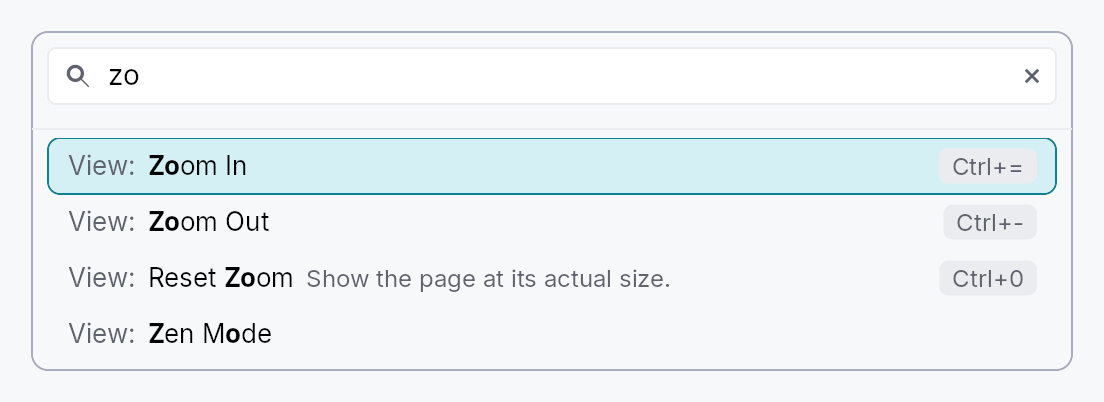
CommandPalette — type-to-run access to every command an app has registered.
Public types
| Kind | Name |
|---|---|
struct | PaletteCommand — One command as the palette sees it |
struct | CommandPalette — Type-to-run access to every registered command |
Public functions
CommandPalette
| Returns | Function |
|---|---|
| Constructors | |
Self | new() |
| Builder methods | |
Self | placeholder(text: impl Into<LocalizedString>) |
Self | empty_text(text: impl Into<LocalizedString>) |
Self | include(f: impl Fn(&PaletteCommand) -> bool + 'static) |
Self | on_dismiss(f: impl Fn(&mut EventContext) + 'static) |
Self | show_disabled(show: bool) |
| Methods | |
Signal<String> | query_signal() |
present(ctx: &mut EventContext) |
Detailed description
The palette is application-agnostic: it holds no list of its own and knows
nothing about any particular app. Its content is the tree's
ShortcutRegistry, which already
carries everything a palette row needs — a localized
name, an optional category to group by, an
optional description, the effective keystroke (user rebinds merged in), and a
live enabled verdict. Activating a row sends the command's intent, which is the
same path a menu row or the chord itself takes.
That has a consequence worth stating plainly, because it is the whole design:
a command does not need a keystroke to appear here. iter_effective() yields
every registered entry, bound or not, so an app makes a command searchable by
registering it with a name and no chord:
// Reachable from the palette, and rebindable by the user later, without
// occupying a keystroke today.
ctx.register_shortcut_global(
    Shortcut::new("document.export")
        .name("Export…")
        .category("File")
        .build(),
);
Running a command
Activating a row (Enter, or a click) closes the palette, which hands focus
back to whatever the user was working in, and then sends the command's
intent from there, as its keystroke would have been sent
(EventContext::send_intent_from_focus). So a command answers wherever
its action is registered: on the editor the palette was opened over, on
one of that editor's ancestors, or window-wide.
That is also why a presented palette lists the commands that act on the
focused editor: the standard edit commands every tree registers
(StandardEdit: cut, copy, paste, undo, redo, select all) and the
editors' own (FormatShortcut,
CodeShortcut). A palette embedded
in a surface of the caller's keeps the focus in its own search field, where
those commands would act on the query, so it leaves them out.
Presenting it
CommandPalette::present shows it as a modal near the top of the window,
dismissed by Escape or a click outside:
ctx.register_action_global(Action::new("app.command_palette").on_invoke(|_, ctx| {
    CommandPalette::new().present(ctx);
}));
Presenting it as a window-level modal is deliberate, not incidental: a palette
is routinely opened from a menu, and a menu is itself a transient overlay.
Anchoring to the invoking widget would render the palette inside the menu that
opened it, positioned against a surface that is about to disappear. It is
anchored by its top edge (ModalPlacement::Top) rather than centred: the
palette is as tall as its list, and a centred one would move its search field
with every keystroke that changed the number of matches.
What a row shows
One line: the category, muted (File:), then the command's name, with the
letters the query matched in bold, then its description when it has one,
muted and the first to give way to a long name, and the effective shortcut,
user rebinds merged in, drawn as a key at the trailing edge. Rows grow with
the global text scale.
Matching
Typing filters by subsequence, not substring, so ndw finds "New Window" and
expdoc finds "Export document". Matches score higher when the typed letters land
consecutively and on word starts, so the most literal reading of a query sorts
first. An empty query lists everything in the registry's own deterministic
(category, id) order. The category takes part in matching, so file new finds
the New command filed under File.
A query can usually land in a command in more than one way (exp in "File:
Export": the e of "File", or the E of "Export"); the best-scoring way is
kept, and its letters are the ones the row shows in bold.
The category a reader sees and matches against is the shortcut's
category_label when it has one, and its category key otherwise. Give a
localized label (.category_label(tr!(…))) and keep the key stable: the key
orders the groups, so it must not change with the language, and the label is
what a French reader types (fichier nouveau). Settings ▸ Keymap
(ShortcutSettings) uses the same pair, and names the group of shortcuts that
declared no category from the widget catalogue
(shortcut-settings-uncategorized).
Keyboard
Focus stays in the search field throughout: that is what makes a palette feel like one. Arrow keys are not editing keys for the field, so they bubble to the palette's own handler, which moves the highlight (wrapping at either end) and scrolls it into view; PageUp and PageDown move it a viewport at a time. Home and End stay with the field, which moves its caret with them. Enter runs the highlighted command; Escape dismisses.
Typing re-filters the list and nothing else: the list is a sibling of the search field, not its parent, so the field keeps its caret, its selection and an input method's composition from one keystroke to the next.
Density
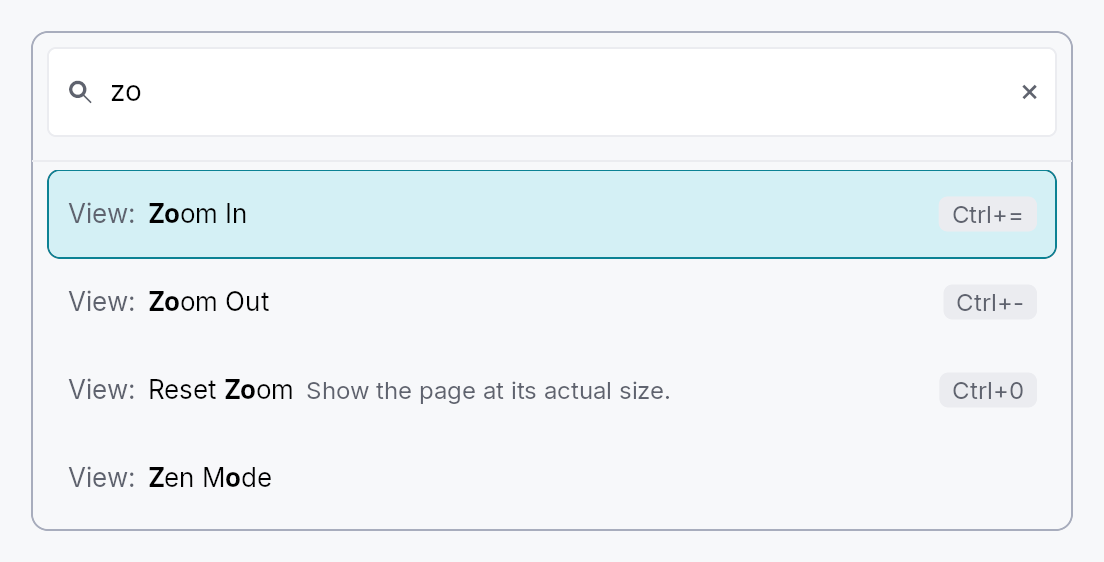
The picture above is the widget at TargetDensity::Compact, the mouse-and-keyboard ladder. Below is the same subject on the same canvas with only the ladder changed, so what moves is the density and nothing else — where the subject no longer fits, that is what the denser targets cost it at that size. See docs/density-and-targets.md.
Touch
API reference
📖 Full rustdoc API for this module
pub struct PaletteCommand
Import: use teksilo::widgets::PaletteCommand;
One command as the palette sees it.
A read-only projection of a registered shortcut, handed to
CommandPalette::include so an app can decide what belongs in its palette
without the widget growing knowledge of any app's command names. Deliberately
not the Shortcut itself: that type carries the activation closure and the
rebinding machinery, neither of which a filter predicate has any business
reaching.
#![allow(unused)]
fn main() {
pub struct PaletteCommand { /* fields */ }
}
Fields
id:&'static str— The stable registry id, e.g."work.export".name:String— The localized display name, already resolved for the active locale.category:Option<&'static str>— The grouping key, if the command declared one: stable across languages, so anCommandPalette::includefilter can match on it.category_text:Option<String>— The category as the reader sees it, already resolved for the active locale: the command'scategory_label, or the key when it gave none.description:Option<String>— The longer explanation, if the command declared one.keystroke:Option<KeyStroke>— The effective primary chord (user rebinds merged in), orNonewhen the command has no keystroke at all, which is normal for a palette-only command.enabled:bool— Whether the command's ownenabled_whenpredicate currently says yes.intent:&'static str— The intent name activation sends. Falls back toSelf::idwhen the command declared no explicit intent, exactly as the keystroke dispatcher does.
pub struct CommandPalette
Import: use teksilo::widgets::CommandPalette;
Type-to-run access to every registered command. See the module docs.
#![allow(unused)]
fn main() {
pub struct CommandPalette { /* fields */ }
}
Methods
pub fn new() -> Self
A palette over every command in the tree's registry.
pub fn placeholder(mut self, text: impl Into<LocalizedString>) -> Self (default: None)
Replace the search field's placeholder text.
pub fn empty_text(mut self, text: impl Into<LocalizedString>) -> Self (default: None)
Replace the text shown when nothing matches the query.
pub fn include(mut self, f: impl Fn(&PaletteCommand) -> bool + 'static) -> Self
Keep only the commands this predicate accepts.
The usual reasons are to hide the command that opens the palette itself, and to drop registry entries that are key bindings rather than commands a person would look for by name.
pub fn on_dismiss(self, f: impl Fn(&mut EventContext) + 'static) -> Self
Run this after a command is activated, and when Escape is pressed.
present installs its own, so this is for callers embedding
the palette in a surface they manage themselves.
pub fn show_disabled(mut self, show: bool) -> Self
Also list commands whose enabled_when predicate currently says no, greyed
out and inert. Off by default: a palette answers "what can I do now", and a
row that cannot run is a row that has to be explained.
pub fn query_signal(&self) -> Signal<String>
The query signal, so a caller can seed or observe what was typed.
pub fn present(self, ctx: &mut EventContext)
Show the palette near the top of the window, dismissed by Escape or a
click outside. See the module docs on why this is window-level.