Repeater
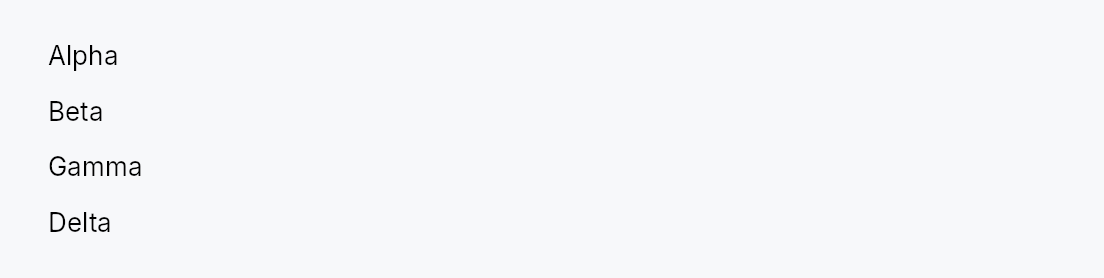
Repeater — non-virtualized dynamic widget list driven by a ListModel<T>.
Public types
| Kind | Name |
|---|---|
enum | RepeaterLayout — How a Repeater arranges its item widgets |
struct | Repeater — A non-virtualized dynamic collection that creates one child widget per item in a ListModel<T> |
Public functions
Repeater
| Returns | Function |
|---|---|
| Constructors | |
Self | new(model: ListModel<T>, factory: impl Fn(&T) -> Box<dyn Widget> + 'static) |
Self | indexed(model: ListModel<T>, factory: impl Fn(usize, &T) -> Box<dyn Widget> + 'static) |
| Builder methods | |
Self | layout(layout: RepeaterLayout) |
Self | horizontal() |
Self | wrap() |
Self | spacing(spacing: f32) |
Self | line_spacing(line_spacing: f32) |
Detailed description
Repeater creates one child widget per item in a ListModel<T>
using a caller-supplied factory closure, arranging them along one axis
(RepeaterLayout::Vertical by default) or as a wrapping flow
(RepeaterLayout::Wrap). It is not virtualized: every item has a live
widget at all times. That is a deliberate trade — it is what lets the
children keep real, stateful widgets (text editors, forms) mounted, which a
virtualizing ListView cannot do because it recycles
off-screen rows.
Repeater::new — reconciling (the default)
The factory takes &item and each child widget is reused across model
changes. When the model mutates, Repeater reads the
DataChange it emits and applies the minimal edit to its child set: an
insert builds one new widget, a remove reaps one, a move reorders, an
in-place update rebuilds only that item — every other child keeps its
existing widget, and with it its focus, selection, caret, scroll offset,
in-flight text edit, and undo history.
This makes Repeater a fit for a stack of editors — e.g. a document
rendered as a column of RichTextEditors,
one per scene/block:
Repeater::new(scenes, |scene| {
    Box::new(RichTextEditor::editor(scene.document()))
})
Inserting, deleting, or reordering a scene costs one widget's worth of work
instead of reshaping every editor in the document, and the editor the user is
typing in keeps its caret. Because the factory has no index, position shifts
are safe by construction: reuse can never leave a widget showing content
derived from a stale position. The one requirement is that an item's
content only changes through the model (via set/replace_all), which is
always true for a ListModel.
#![allow(unused)]
fn main() {
use teksilo_widgets::Repeater;
use teksilo_widgets::primitives::TextWidget;
use teksilo_data::ListModel;
use teksilo_i18n::lit;
let model: ListModel<u32> = ListModel::from_vec(vec![1, 2, 3]);
let _w = Repeater::new(model, |item| {
    Box::new(TextWidget::new(lit!(format!("item {item}"))))
})
.spacing(4.0);
}
Repeater::indexed — full rebuild (position-in-content)
When the content genuinely depends on position — a numbered list, "N of M",
a ranking that must renumber on reorder — use indexed.
Its factory takes (index, &item), and on any model change the whole
child subtree is torn down and rebuilt, so the index every widget shows is
always current. This is the right pick for cheap, stateless, position-derived
rows; it does not preserve per-child state across changes (that is the
reason to prefer new whenever the index isn't content).
Accessibility
Repeater imposes no accessibility semantics of its own — it is a
transparent layout wrapper, so its children surface directly into the
surrounding AT subtree and their own roles decide how they read. When the
children genuinely form a named list, menu, or toolbar, opt in with the
standard builder overrides that every widget supports — these stay
locale-reactive:
use teksilo_core::accesskit::Role;
Repeater::new(tags, factory)
    .access_role(Role::List)
    .access_label(tr!(tags()))
Density
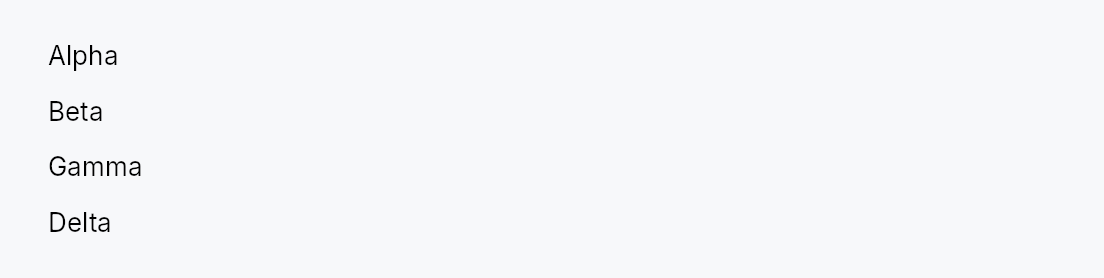
The picture above is the widget at TargetDensity::Compact, the mouse-and-keyboard ladder. Below is the same subject on the same canvas with only the ladder changed, so what moves is the density and nothing else — where the subject no longer fits, that is what the denser targets cost it at that size. See docs/density-and-targets.md.
Touch
API reference
📖 Full rustdoc API for this module
pub enum RepeaterLayout
Import: use teksilo::widgets::repeater::RepeaterLayout;
How a Repeater arranges its item widgets.
#![allow(unused)]
fn main() {
pub enum RepeaterLayout { /* variants */ }
}
Variants
Vertical— A vertical column, top to bottom (default). Gap =Repeater::spacing.Horizontal— A horizontal row, leading to trailing (RTL-aware viaHStack). Gap =Repeater::spacing.Wrap— A horizontal flow that wraps to the next line when items exceed the available width — chip rows, badge lists.Repeater::spacingis the inter-item gap,Repeater::line_spacingthe inter-line gap.
pub struct Repeater
Import: use teksilo::widgets::Repeater;
A non-virtualized dynamic collection that creates one child widget per item in a ListModel<T>.
See the module-level docs for the two build modes, layout options,
and accessibility guidance.
#![allow(unused)]
fn main() {
pub struct Repeater<T: 'static> { /* fields */ }
}
Methods
pub fn new(model: ListModel<T>, factory: impl Fn(&T) -> Box<dyn Widget> + 'static) -> Self
Create a Repeater in reconciling mode (the default): item widgets are reused across model changes, so each child keeps its state (focus, caret, selection, scroll, undo history) when siblings are inserted, removed, or reordered.
The factory receives &item only — it must not depend on the item's
position, which is what makes reuse safe when items shift. This is the
mode for a stack of stateful widgets such as RichTextEditors. If the
content genuinely depends on position (a numbered list), use
Repeater::indexed instead. See the module-level docs for the
full rationale.
pub fn indexed( model: ListModel<T>, factory: impl Fn(usize, &T) -> Box<dyn Widget> + 'static, ) -> Self
Create a Repeater in full-rebuild mode: the factory receives
(index, &item) and the entire child subtree is rebuilt on any model
change, so position-derived content stays current.
Use this only when the content depends on the item's position (row
numbers, "N of M", a ranking that renumbers on reorder). It does not
preserve per-child state across changes — prefer Repeater::new
whenever the index isn't part of what each item renders.
pub fn layout(mut self, layout: RepeaterLayout) -> Self
Choose how items are arranged (default RepeaterLayout::Vertical).
pub fn horizontal(self) -> Self
Arrange items horizontally — shorthand for .layout(RepeaterLayout::Horizontal).
pub fn wrap(self) -> Self
Arrange items as a wrapping flow — shorthand for .layout(RepeaterLayout::Wrap).
pub fn spacing(mut self, spacing: f32) -> Self
Set the gap between items along the main axis (default 0.0). For
RepeaterLayout::Wrap this is the inter-item (horizontal) gap.
pub fn line_spacing(mut self, line_spacing: f32) -> Self
Set the gap between lines for RepeaterLayout::Wrap (default 0.0).
Ignored by the single-axis layouts.