RadioGroup
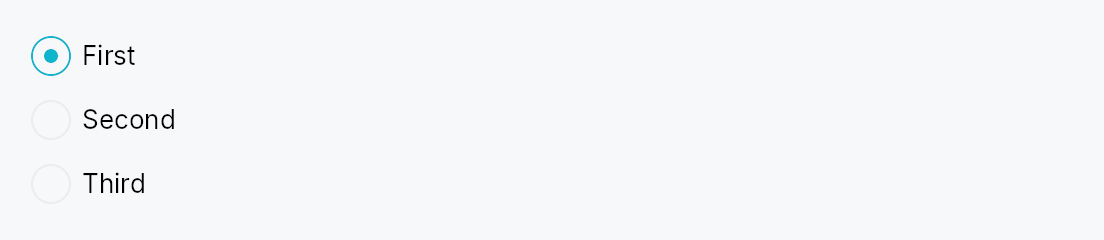
RadioGroup — invisible layout container that groups RadioButtons
and wires their accessibility metadata.
Public functions
RadioGroup
| Returns | Function |
|---|---|
| Constructors | |
Self | new() |
| Builder methods | |
Self | orientation(orientation: Orientation) |
Self | spacing(spacing: f32) |
Self | label(label: impl Into<LocalizedString>) |
Self | radio(button: RadioButton) |
Self | radios(buttons: impl IntoIterator<Item = RadioButton>) |
Self | child(widget: impl Widget + 'static) |
Self | children(iter: impl IntoIterator<Item = impl Widget + 'static>) |
Self | child_opt(widget: Option<impl Widget + 'static>) |
Detailed description
Radios are a fundamentally group-based control: screen readers need
to announce "2 of 3" positional info, which AccessKit models via
push_to_radio_group([sibling_ids]) on each radio button. Loose
RadioButtons scattered in an HStack can't self-assemble this
relation because they have no knowledge of their siblings.
RadioGroup solves this by owning a shared Rc<RefCell<Vec<WidgetId>>>
buffer, injecting it into each RadioButton child before adding
them to the arena, and populating the buffer with each radio's
WidgetId as it's created. RadioButton::accessibility() reads
the buffer and emits the push_to_radio_group calls.
The widget is a pure layout wrapper — it delegates actual
rendering to an HStack or VStack under the hood. Its own
accessibility node carries Role::RadioGroup + an optional
accessible name.
let selected = ctx.signal(0_usize);
RadioGroup::new()
    .label(lit!("Theme"))
    .radio(RadioButton::new(0, selected.clone()).label(lit!("Light")))
    .radio(RadioButton::new(1, selected.clone()).label(lit!("Dark")))
    .radio(RadioButton::new(2, selected.clone()).label(lit!("System")))
Density
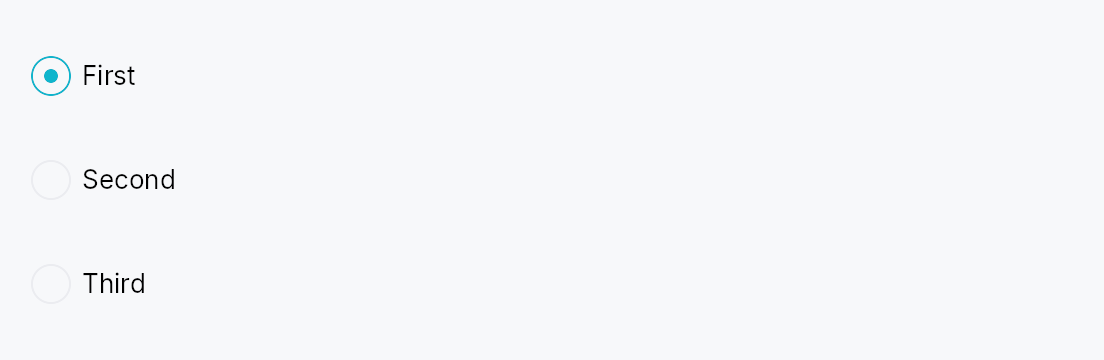
The picture above is the widget at TargetDensity::Compact, the mouse-and-keyboard ladder. Below is the same subject on the same canvas with only the ladder changed, so what moves is the density and nothing else — where the subject no longer fits, that is what the denser targets cost it at that size. See docs/density-and-targets.md.
Touch
API reference
📖 Full rustdoc API for this module
pub struct RadioGroup
Import: use teksilo::widgets::RadioGroup;
Invisible layout container that groups RadioButtons for
accessibility. Arranges children in an HStack or VStack
and carries Role::RadioGroup on its own a11y node.
#![allow(unused)]
fn main() {
pub struct RadioGroup { /* fields */ }
}
Methods
pub fn new() -> Self
Create an empty radio group with vertical orientation and 8 dp spacing.
pub fn orientation(mut self, orientation: Orientation) -> Self
Layout orientation. Defaults to Vertical — most radio groups
read top-to-bottom.
pub fn spacing(mut self, spacing: f32) -> Self (default: 8.0)
Gap between children.
pub fn label(mut self, label: impl Into<LocalizedString>) -> Self
Accessible name for the group — e.g. "Theme", "Font family". Screen readers announce this before individual radio labels.
pub fn radio(mut self, button: RadioButton) -> Self
Add a radio button. The group's shared sibling-id buffer is
injected into the radio at build time so its accessibility
impl can publish group membership via push_to_radio_group.
pub fn radios(self, buttons: impl IntoIterator<Item = RadioButton>) -> Self
Add several radio buttons from an iterator, in order.
The loop form of radio, and the usual one: a radio group
is normally generated from the list of choices it offers. Each button
gets the group's shared sibling-id buffer exactly as radio gives it.
pub fn child(mut self, widget: impl Widget + 'static) -> Self
Add a non-radio child (divider, caption label, etc.). Passed straight through to the internal stack without a11y wiring.
pub fn children(self, iter: impl IntoIterator<Item = impl Widget + 'static>) -> Self
Add several non-radio children from an iterator, in order.
The loop form of child. Like child, none of these get
the group's a11y wiring: use radios for the buttons.
pub fn child_opt(self, widget: Option<impl Widget + 'static>) -> Self
Attach widget when it is Some, and do nothing when it is None.
The conditional-child form. teksu!'s if without an else lowers to
this, and it is what cond.then(|| w) is for in a builder chain. None
adds no arena node, so nothing is laid out, painted, or published to the
accessibility tree, and a stack applies no spacing around it.